

In today’s professional landscape, the work tote bag with a laptop compartment stands as an essential accessory for business owners. Balancing aesthetics and functionality, these bags embody personal style while prioritizing the safety of your valuable tech. This guide navigates through three pivotal considerations when selecting your ideal work tote: ensuring optimal laptop protection, choosing the right durable materials, and enhancing functionality through smart design features. Each chapter dives into key elements that not only meet the demands of daily business activities but also reflect your professional image.
Why Laptop Protection Matters—and How to Get It Right in a Work Tote
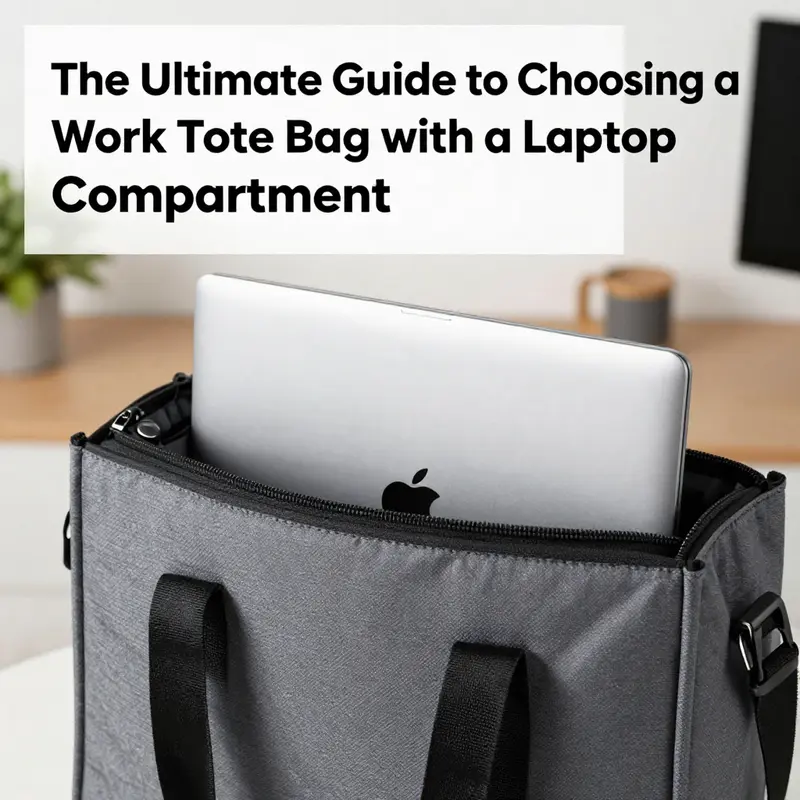
Why laptop protection matters—and how to get it right in a work tote
Carrying a laptop in a tote bag shifts the conversation about professional gear from mere appearance to careful risk management. A tote can look polished and deliberate, but its softer silhouette and minimalist structure leave little margin for error. Laptops are fragile assemblies of glass, thin metals, and delicate hinges. A single jolt, compression from a packed commute, or exposure to moisture can interrupt work, cost hundreds in repairs, or destroy irreplaceable data. The right tote turns that vulnerability into a controlled choice: it houses the device securely while preserving the brief, composed look many professionals prefer.
Start with a clear, measurable standard for protection. Marketing labels such as “fits up to 15 inches” are shorthand, not specs. Measure your laptop’s width, depth, and height and compare them to the tote’s internal compartment dimensions. A 13-inch laptop often needs a space near 10″ x 14″ to sit comfortably. Larger 15–16 inch devices typically require at least 11.5″ x 16″. Allow extra room for a protective sleeve if you use one. This exactness matters because a sleeve or padded compartment that is too tight can stress ports and edges. One that is too loose lets the device move and suffer impact.
Padding is the most tangible line of defense. High-density foam with a minimum thickness of 5 mm around all sides significantly reduces the force transmitted to internal components during drops or bumps. Materials that compress slowly and rebound—closed-cell EVA foam is a good example—absorb shocks rather than transferring them. The padding should be continuous and cradle the laptop. Partial padding at the base only treats one vector of impact; hits to corners and edges remain hazardous. Look for sleeves or built-in compartments offering consistent padding and, preferably, an additional stiff backing plate to resist crushing forces.
Structure complements padding. A tote with a rigid interior frame or reinforced base preserves space and prevents collapse. Without structure, the bag can be squeezed by a stack of heavy items or compressed in a tight overhead bin. A reinforced base—often a thin, removable board—distributes weight across a larger surface. Internal ribs or light frames preserve the compartment’s shape while keeping the outward profile elegant. This engineered steadiness protects the laptop from bending stresses on the screen and pressure on the hinge, which are common damage points.
Material choice influences both protection and daily reliability. Water-resistant fabrics such as coated polyester or technical canvas keep liquids at bay during unexpected rain or accidental spills. Full-grain leather and vegetable-tanned hides age well and resist surface abrasions, but they require care to maintain water resistance. Look for composite linings that combine an attractive external fabric with an inner moisture barrier. Seam sealing and water-repellent zippers add another layer of defense where water enters. A tote’s exterior may seem decorative, but it is the first barrier against liquids, dirt, and abrasion.
Hardware and stitching are often overlooked, but they determine whether protection lasts. Reinforced stitching at strap junctions keeps heavy loads from tearing seams. Zippers with protective flaps and high-quality sliders reduce the risk of sudden failures that expose your laptop to the elements. Metal or structured hardware can help distribute strain better than thin plastic components. Check the stitching density along the laptop compartment; tighter, even stitches resist elongation. Durable materials and solid assembly preserve the integrity of the protective features over months and years of daily use.
Think about pocket placement and internal layout. A true laptop compartment sits close to your back or the tote’s back wall. This placement minimizes leverage on the laptop if the bag swings or is jostled. Compartments placed in the center of the bag allow movement from either side. Secure the laptop in a snug sleeve that prevents lateral travel. Zippered closures that fully enclose the compartment prevent small items from shifting into the device or exerting pressure on the screen. External top closures—zippers, magnetic snaps, or flap covers—contribute to both security and weather protection.
A separate protective sleeve remains a wise, non-negotiable layer. Even a well-built tote benefits from an internal sleeve that adds padding and prevents direct contact with hard objects. A sleeve also makes the laptop portable outside the tote: you can carry the device separately when needed, without moving other items. When choosing a sleeve, prioritize dense shock-absorbing foam, a soft interior lining to prevent scratches, and a slightly rigid back panel. Sleeves with a zipper or secure closure protect ports and edges from small debris.
Practical use habits amplify design choices. Place the laptop in its compartment only after larger, heavier items have been stowed below. Avoid stacking heavy items on top of the compartment. When commuting by crowded public transport, position the padded side of the bag against your body or under an arm; this reduces exposure to impact and helps keep the bag upright. If you carry chargers, power banks, or external drives, store them in separate zippered pockets. Loose hard objects increase risk when they shift and press against the laptop.
Don’t ignore thermal and electromagnetic considerations. Laptops generate heat. A fully padded sleeve that traps heat around the device can accelerate thermal cycling and reduce battery life. Choose a tote or sleeve with a breathable, slightly ventilated lining, particularly if you often carry the laptop while it is warm. Similarly, if you carry credit cards or sensitive ID near the computer, use RFID-blocking compartments to avoid cross-interference with certain peripherals and to protect sensitive data. These features enhance protection without compromising device performance.
Test for real-world resilience. A quality tote balances elegance with measurable protection. Try these quick checks: place the laptop in its compartment, then gently shake and tilt the bag; the device should not move more than an inch. Press gently on the front and sides; padding should absorb contact and return to shape. Carry the loaded tote to simulate commuting and check for sag or deformation. Inspect seams and handle attachment points for stress. These simple tests reveal whether the bag’s protective claims hold up under normal use.
Comfort matters because a tote that hurts will be left at home. Padding in handles and an optional removable crossbody strap redistribute weight and reduce strain. Excessive weight shifts can cause uneven pressure on the laptop inside. A tote designed to carry a laptop should pair low weight with structural support. Ergonomic features also reduce the impulse to overfill the bag, which is a common cause of laptop damage. When the carrying system feels secure, users are less likely to compress or mishandle the bag.
Maintenance preserves protection. Clean the exterior regularly and test water repellency each season. Replace or reproof coatings as needed. If the tote has a removable baseboard or internal frame, inspect it for cracks and replace it when it shows wear. Foam padding degrades over years; if the padding flattens, the protective value drops sharply. Routine checks of the lining, seams, and fasteners can catch small problems before they become failures.
For professionals who travel, think about layered defense. Airline overhead bins and checked luggage present different risks. In carry-on use, keep the laptop in its padded compartment or sleeve and avoid overstuffing the tote. When packing the tote inside larger luggage, place the bag between soft items, not under heavy objects. For long trips, consider a tote with a strap that slips over rolling handles. This keeps the tote stable and reduces the chance it will be squashed in transit.
Aesthetic choices need not compromise protection. Minimalist profiles and premium finishes can coexist with structured interiors. Designers reconcile form and function by integrating hidden frames, discrete padding, and smart pocket layouts. When shopping, look for clean lines and understated exteriors paired with technical descriptions of padding thickness, internal dimensions, and material specifications. Those specs indicate a bag that performs as well as it looks.
Ultimately, laptop protection in a tote is about predictable outcomes. You want your device to survive routine stressors and continue working. That requires clear measurements, durable construction, and layered defenses: a well-sized compartment, at least 5 mm of dense padding, a rigid base, water resistance, and thoughtful hardware. A separate sleeve is a modest investment that produces outsized returns in safety and convenience. For options that combine professional styling with laptop-focused design, consider models labeled specifically for work laptops, such as a dedicated laptop work tote that balances office-ready style with reinforced protection (https://alltotebags.com/laptop-work-tote/).
For a deeper look at how padding and sleeve design affect impact resistance, and for lab-tested guidance on shock absorption, see this technical resource from an industry analyst: https://www.techshieldlabs.com/blog/laptop-protection-tote-bag
Material Mastery for Durable Work Totes with Laptop Compartments: Protecting Tech, Elevating Professional Image, and Enduring Everyday Use

The material you choose for a work tote bag with a laptop compartment isn’t merely a matter of texture or color; it is the foundation of long-term protection, daily reliability, and the subtle cues that shape how others perceive your professional competence. In hybrid work, where commutes, bursts of client meetings, and remote days blend with high-stakes presentations, the tote must withstand the rigors of city travel while projecting a sense of polish. The right fabric or leather earns respect by doing quiet, practical work: resisting abrasion from crowded subway straps, shedding light rain without a leaky interior, and aging gracefully so that your bag continues to look as composed as its owner. Durability starts with the material, but it also threads through how well that material integrates with protective features, storage organization, and overall usability. A tote that sacrifices form for function or hides weakness behind sleek marketing labels will fail when you need it most. Conversely, a thoughtful material choice, paired with quality construction and sensible design, can become a dependable partner for someone who moves between office, airport, and home desk alike.
Cotton canvas, in its heavier forms, remains one of the most reliable workhorse fabrics for daily use. A canvas bag built from a sturdy 12-ounce or thicker weave strikes a balance between weight and strength. The tightly woven fibers resist tearing and abrasion from everyday friction—whether your bag rubs against metal railings during a crowded commute or slides across a conference room floor. Over time, canvas develops a characterful patina that signals durability and practicality without shouting for attention. This is not merely aesthetic; the patina is a visual testament to hours spent in motion and a willingness to endure. For harsher weather, waxed canvas offers an extra line of defense. The wax layer repels water and adds a rugged, slightly stiff texture that becomes more pronounced with age. The trade-off is that waxed canvas requires occasional maintenance to restore repellency, but the payoff is reliable weather resistance for light rain or misty city days.
When considering waxed canvas or plain canvas, it’s essential to assess how the material is finished and reinforced at critical points. The laptop compartment edges, the handles, and the seams where the bag bears the most load deserve particular scrutiny. The interior should be lined with a material that resists abrasion and staining, while the outer surface should show stitching that remains taut and even after repeated use. A well-made canvas tote often pairs its rugged exterior with a thoughtful interior layout: a padded laptop sleeve, a rain-proof zipper, and pockets sized for documents, chargers, and small devices. The combination speaks to a design philosophy that prioritizes both protection and organization. The practical test is straightforward: imagine your typical day and use a cardboard cutout of your laptop to verify fit within the interior dimensions. If the internal sleeve is snug without squeezing, and if the cutout can be inserted and removed with ease, the canvas bag passes a core durability check. For those seeking additional resilience, consider a waxed variation, keeping in mind that the finish may require periodic re-waxing to maintain water repellency and the unique character that comes with aging material.
Leather offers another path to durability that rewards careful maintenance and thoughtful use. Full-grain leather, prized for its density and natural resilience, has the capacity to resist scratches more gracefully than many other materials. It ages into a rich patina that reflects exposure to sun, moisture, and daily handling, which many professionals find adds a sense of authority and refinement to their toolkit. Top-grain leather, while slightly thinner, still provides robust durability and a smoother surface that resists scuffs while offering a refined aesthetic. The key with leather is to avoid lower-tier options such as bonded or “genuine” leather, which can peel or wear unevenly over time. Leather’s beauty comes from its ability to glide through professional settings with understated presence: it pairs well with tailored clothing and signals a serious, long-term commitment to one’s professional presence. Leather also tends to be heavier and requires conditioning to prevent drying and cracking, especially in environments with fluctuating humidity. Regular care, including conditioning with products suited to full-grain or top-grain finishes, helps the leather maintain its suppleness and protective sheen. The maintenance routine, rather than the initial purchase alone, becomes part of the bag’s durability story. In practical terms, leather excels in a bag that aims to convey authority and permanence; it whispers a message of precision and intention, echoing the professional image you want to project when meeting clients or navigating a busy executive corridor.
Synthetic options offer a modern balance of strength, weight management, and weather resistance that many urban professionals appreciate. Cordura nylon, renowned for its abrasion resistance and resilience against punctures, keeps pace with the subway’s inevitabilities and the occasional tumble against a luggage cart or door frame. The fabric’s dense weave and tight construction help resist tearing where cheaper materials might fray. Recycled polyester, or rPET, presents an eco-conscious alternative that still delivers practical performance: quick-drying, water resistance, and easy care. These synthetics often incorporate additional protective coatings or laminates that improve weather performance without adding excessive weight. For professionals who value sustainability without compromising durability, synthetics can be a smart choice. The challenge lies in balancing these materials with the bag’s other design elements: sturdy stitching, reinforced corners, and a laptop sleeve that remains cushioned and detached from potential impact sources. A well-made synthetic tote can stay in service for many years if the seams are double-stitched or box-stitched at high-stress points, and if the material is thick enough to resist daily scuffs while still feeling approachable and professional in appearance.
In many cases, durability arrives not from a single material but from thoughtful blends that combine the strengths of different fabrics. A canvas body with leather trim, for instance, can deliver the resilience and patina of canvas with the refined edge of leather. Likewise, a Cordura foundation with a waxed coating or a weather-resistant synthetic shell paired with a soft interior can marry rugged protection with a clean, executive silhouette. Such combinations require careful design to prevent bulk, ensure even weight distribution, and keep the laptop compartment adequately protected. When evaluating blends, pay attention to how the materials meet at critical junctions: the points where handles meet the body, the edges of the laptop sleeve, and the transitions from the main compartment to smaller pockets. A well-executed blend will show consistent stitching, stable seams, and a deliberate reduction in exposed raw fabric that might snag or tear during daily use.
Regardless of the primary material chosen, one of the most reliable indicators of long-term durability is the quality of construction. This means more than the outer shell; it encompasses the entire bag, including the interior padding, the strength of the zippers, and the finish on the hardware. A padded laptop sleeve—ideally with at least 5 millimeters of cushioning on all sides—acts as a critical first line of defense against impacts that can travel from crowded train cars to your desk. The interior should feature dedicated pockets or dividers that prevent devices, chargers, or tablets from shifting during movement. Zippered pockets are not merely convenient for small items; they also help to organize and protect sensitive documents and devices, reducing the risk of scratches or accidental drops. When testing potential bags, run through a practical packing routine: slide in the laptop with its protective sleeve, add the charger, a notebook, and a few essential items, then close the zipper and lift the bag by its handles to simulate daily load. The bag should feel balanced, not top-heavy, with weight distributed toward the center of gravity to reduce shoulder or arm strain. In addition, examine stitching at the corners and the shoulder strap terminals. Double-stitch or box-stitch seams are a strong signal; exposed threads or uneven tension around load points reveal weak construction that could fail under stress.
The material selection you make should also align with how you want to be perceived in professional settings. Appearance matters because it communicates intentionality, competence, and readiness. A clean, minimalist tote with structured lines and premium materials sends a message of organization and control. This is particularly important in client-facing roles, where the bag you carry can become part of your visual brand. The literature on professional perception suggests that employees who present themselves with a structured, minimalist wardrobe and accessories are viewed as more competent than those who rely on casual or worn styles. While the evolving tech landscape has accepted a broader range of bag styles, the tote remains a symbol of authority and professionalism when paired with tailored clothing and a careful presentation. Your chosen material should, therefore, not only protect your laptop but also support a coherent professional narrative: one that communicates reliability, attention to detail, and a sense of preparedness for whatever the day may bring. If you want to minimize the risk of appearing casual in formal settings, lean toward materials and finishes with a refined, restrained aesthetic—smooth leather, tight-weave canvas, or a high-quality synthetic with a matte finish and clean hardware.
Care and maintenance are the practical sides of durability that extend the life of any material. Canvas and waxed canvas respond well to routine cleaning with a soft brush or cloth and a light wipe-down with a damp cloth. For waxed canvas, occasional re-waxing is part of upkeep, returning water repellency and the bag’s characteristic feel after heavy use or rain. Leather requires conditioning to keep the surface from drying out or cracking; use products formulated for full-grain or top-grain leather and apply sparingly, allowing the conditioner to penetrate before wiping away any excess. Synthetics like Cordura nylon or rPET are generally easier to care for, often just needing a quick wipe with a mild soap solution. However, even the most forgiving materials can degrade if exposed to sharp objects, prolonged moisture, or abrasive surface contact. Regular inspections of stitching quality, seam tension, zipper integrity, and the strength of the handles are prudent habits. If you notice fraying threads or loose stitching, address them promptly or seek professional repair to prevent further damage. Practical routine becomes a core part of durability: the tote’s ability to protect a laptop in transit depends not only on its initial materials but on the ongoing care that preserves those materials and their protective features over years of use.
For those who want a quick, evidence-based framework for evaluating durable tote options, consider how materials perform under real-world pressure. The durability narrative is not only about weather resistance or abrasion resistance; it is also about how a material interacts with daily rhythms: the cadence of a commute, the hustle of a meeting, and the quiet moments when the bag sits by a desk or under an airplane seat. A good tote should feel predictable and dependable in all these contexts. It should carry your equipment without adding unnecessary weight, protect your laptop from minor bumps, and maintain a professional, composed appearance as it weatheres decades of routine. When you pair durable materials with robust construction, reinforced edges, and a thoughtful interior, you create a tote that earns its place in a professional wardrobe year after year. This is the heart of material mastery: making a choice that serves protection, style, and practicality without compromising any one facet for another.
If you want to explore related guidance on how compartment design supports durability and protection, you can consult a dedicated resource focused on laptop-sleeve integration within tote designs. For a focused look at how compartments align with laptop sizes and sleeves, see the tote-bag-with-computer-sleeve guide. This internal link provides a practical complement to the material-focused discussion here, illustrating how a well-sized sleeve and intelligent padding work in concert with the fabric to maximize protection. It is in these intersections—between material strength, thoughtful internal layout, and fit—that durability becomes tangible rather than theoretical, translating into a bag that remains reliable through countless seasons of professional life.
External reading that can deepen your understanding of durable, well-made tote bags and the criteria that matter most in everyday use highlights a practical, experience-based approach to selecting quality gear. A comprehensive guide from a trusted home-and-lifestyle source outlines expert tips for lasting quality and style across a range of tote designs, with emphasis on construction, materials, and care. This external resource offers a broader context for evaluating durability beyond the specifics of laptop compartments, helping readers apply similar thinking to leather, canvas, and synthetic options. It also reinforces the idea that durability is a function of deliberate design, not merely the presence of a protective sleeve. For readers seeking a deeper dive into tactile material behavior, moisture management, and long-term wear patterns, the article provides valuable perspectives that complement the chapter’s material-focused discussion. Access the external resource here: https://www.thespruce.com/durable-tote-bags-for-everyday-use-4789635.
Polished Precision: Redefining the Modern Work Tote with a Laptop Compartment Through Enhanced Functionality

The work tote bag has quietly become a procedural partner for the hybrid professional, a compact command center that coordinates gear, documents, and schedules while projecting a calm, capable image. In the quiet extremities of crowded stations and the orderly calm of boardrooms, the tote’s design speaks before the wearer does. It tells a story of organization, security, and thoughtful craft. This chapter explores how enhanced functionality—centered around a reliable laptop compartment—has transformed the tote from simple carryall to a versatile, professional extension of the user’s daily routine. It is not just about what fits inside, but how what fits inside moves with the person through different settings, how it protects valuable devices, and how it communicates readiness and competence through understated design.
At the core of enhanced functionality is a dedicated laptop compartment that refuses to be an afterthought. This central pocket is more than a sleeve; it is a modular space designed to cradle a device as it travels through merely crowded subway cars as well as through the controlled climate of a conference center. The most common misstep in bag selection is relying on marketing claims of “fits up to 15 inches” without examining the internal footprint. The reality is that a bag’s diagonal size often ignores the bezel thickness, the padding, and the protective sleeve that accompanies most laptops. The practical test lies in the internal dimensions: for a 13-inch device, you want roughly 10 inches by 14 inches of workable space; for larger models in the 15–16 inch range, at least 11.5 by 16 inches is prudent. The central compartment should always be cushioned—no less than 5 millimeters of padding on all sides—to absorb the inevitable bumps of daily commutes and crowded elevators. This 5mm buffer ensures that the device remains protected whether the bag is angled on a train rack or pressed beneath a desk during a busy day. The design orientation here matters; a central, well-padded pocket tends to preserve balance, distributing weight evenly and reducing fatigue over long days of constant shifting between meetings, cafes, and transit.
But a well-calibrated laptop pocket does not exist in isolation. Modern functionality relies on a layered interior ecosystem that keeps cables, adapters, and ancillary devices in place without turning the tote into a tangle of clutter. In many iterations, the interior features multiple pockets and organizers that perform distinct roles without competing for space. A zippered slot can hold essential documents or cards, a slip pocket can cradle a pen or a phone, and a dedicated sleeve can keep a tablet or smaller accessories in reserve. The benefit is not merely convenience; it is mental ease. When a planner or a charger is easy to locate, mornings feel less rushed and more purposeful because there is less rummaging and more readiness. Organization ceases to be a luxury and becomes a daily productivity catalyst.
Security has evolved with functionality. A growing number of totes include built-in RFID-blocking linings or reinforced stitching as a quiet, constant layer of defense. The former protects contactless payment data and credentials, while the latter speaks to durability and theft deterrence. Neither feature shouts for attention; both quietly reinforce the bag’s role as a trustworthy workplace tool. The most refined designs also balance security with accessibility. A central compartment that remains easy to reach, yet secure, allows the wearer to present a professional face when entering a client meeting or to retrieve a document with minimal disruption. This balance between security and ease of use is foundational to how these bags fit into a demanding workday.
The materials chosen for enhanced functionality also carry narrative weight. Durability and professionalism are expressed through a trio of broad categories. Canvas remains a favorite for urban professionals who value lightness and eco-conscious appeal. Its texture and weave speak of practicality and resilience, and its ability to age gracefully adds a layer of character to daily wear. Leather, particularly full-grain or vegetable-tanned varieties, communicates authority and refinement, aging with a patina that signals maturity and discretion. Water-resistant synthetics, including recycled fabrics and TPU-coated textiles, represent a modern solution for unpredictable weather and higher-moisture environments. Each material does more than endure; it communicates a stance—whether it is a corporate-informed seriousness, a creative edge, or an eco-aware pragmatism. The choice of material informs how the bag is perceived by colleagues and clients. A minimalist silhouette in premium leather or technical canvas carries different social signals than a louder, more casual alternate, and both can be perfectly appropriate depending on the setting and the wearer’s role. The best bags offer a quiet versatility: they look appropriate in a formal meeting and remain practical for a coffee shop work session, a campus lecture, or a weekend project run.
A well-designed tote also anticipates the day’s choreography. Removable crossbody straps, adjustable shoulder pads, and ergonomic padding are not mere comfort features; they are practical responses to a variety of scenarios. On days with a long commute or multiple stops, a strap can transform a carrying experience from a two-handed duty to a hands-free maneuver, enabling the user to manage a coffee, a presentation folder, or a bundle of papers with one arm. Ergonomic design reduces strain, an especially meaningful consideration when the bag must travel between office floors, stairwells, and crowded platforms. But the portability feature should never compromise the bag’s integrity. Straps must be reinforced and stitched to handle daily use, maintaining the bag’s shape even after months of frequent transition between office and classroom or coworking space.
The professional image conveyed by a tote hinges on the interplay of structure, material, and subtle branding. A bag that speaks in simple lines, with controlled hardware and clean seams, communicates decisiveness and clarity. Minimalist aesthetics—where form follows function—have a lasting impact, particularly in environments where first impressions matter. In many professional contexts, a tote that looks prepared and polished can influence how others read the wearer’s competence and reliability. This perception isn’t achieved by overt branding or flashy finishes but by the quiet confidence of measured proportions, balanced weight distribution, and a restrained exterior that keeps attention on the wearer and the work at hand.
Comfort, of course, is not merely a matter of soft padding. It begins with weight distribution. A tote built around a laptop compartment should feel balanced even when loaded with documents, chargers, and a tablet. Heavy materials can tax the shoulder when the bag rests at the hip, so attention to overall weight and construction quality matters as much as the padding in the laptop pocket. Double-stitched seams, reinforced corner lines, and thoughtfully placed seams are indicators of durability and long-term comfort. The goal is to minimize microadjustments during a long day: the bag should stay where you put it, and you should feel less tethered to the bag and more anchored in your work.
The practical realities of a hybrid schedule demand that a tote’s functionality extend beyond the laptop. A modern tote is an organizational hub that supports a broader workflow. It should accommodate chargers, adapters, and a small notebook without overshadowing the laptop compartment. Zippered organizers can guard important cards and small documents, while slip pockets offer convenient places for pens and phones—every pocket purposefully placed to reduce search time. A dedicated sleeve for a tablet or a slim accessory can be a boon when your day pivots between plus-size laptop sessions and quick, footloose moments between meetings. The central design question remains: how many pockets do you need, and how should they be arranged to align with your daily rituals? The answer is deeply personal, shaped by a routine that balances in-office days with remote work, campus lectures, or client visits.
Another layer of enhanced functionality is adaptability. Removable crossbody straps, when present, allow the bag to transition into multiple modes: carried by the hand for a crisp boardroom entrance, slung over a shoulder during a commute with a coffee in hand, or worn across the body for a hands-free moment at a conference or on a campus transit route. This adaptability extends the bag’s utility beyond a single context, enabling a single piece to support a wide range of environments. The result is fewer bags to manage and a steadier rhythm to the day, which can translate into fewer small disruptions and more consistent performance across tasks.
The integration of these features—centered laptop protection, interior organization, security, material choice, ergonomic carrying options, and a minimal yet authoritative aesthetic—creates a holistic tool rather than a collection of add-ons. The bag becomes an extension of a professional identity, signaling that the wearer values precision, preparedness, and discretion. It is a subtle form of nonverbal communication that resonates across meetings, classrooms, and coffeehouse work sessions. In hybrid environments, where the day blends formal and informal settings, such a bag provides continuity. The laptop pocket protects the device through crowded commutes; the internal organization reduces the cognitive load of locating items; the materials and finish communicate seriousness; and the carrying options ensure comfort regardless of the route taken. This is functional design that persists beyond a single use case.
Choosing a bag with these attributes is less about chasing the latest feature and more about aligning with daily rhythms. Prospective buyers should validate internal specifications carefully: confirm the exact dimensions of the laptop compartment, ensure padding of at least 5 millimeters on all sides, inspect the location and rigidity of the central pocket, and assess the overall weight of the empty bag. The balance between protection and accessibility often hinges on the arrangement of pockets and the firmness of the contents. A well-conceived interior map reduces the need to rummage during a tense moment in a meeting or a late train stop. The right combination of hardware, stitching, and fabric yields a tote that holds up under pressure and remains a reliable companion throughout a career trajectory that moves between different venues and schedules.
For readers seeking a practical anchor within this evolving landscape, consider the central idea of a dedicated laptop compartment that anchors the bag’s overall design. A thoughtfully placed, well-cushioned sleeve supports the device while leaving room for chargers, cables, and protective sleeves inside the same compartment without crowding. The interior’s organization should be legible at a glance, with the ability to adapt to changing needs as weeks unfold and projects shift. While the exact configuration will vary by brand and model, the guiding principle remains consistent: a portable workstation deserves a home that respects its fragility, its role in daily tasks, and its contribution to the wearer’s professional image. When this principle is implemented well, the tote ceases to be a mere accessory and becomes a dependable partner in performance.
As you contemplate your next purchase, consider not only how many pockets you could fill, but how the bag answers real-world questions: Can I grab my laptop quickly when rushing to a client meeting? Will the pocket layout prevent cables from tangling during a hectic afternoon? Does the material choice project a professional tone appropriate for my industry? Does the bag distribute weight evenly enough to reduce shoulder strain after a full day of moving between rooms and buildings? And perhaps most importantly, does it fit my laptop with precision, not just in marketing language but in actual internal dimensions? If the answer to these questions is a confident yes, you have found a work tote that transcends being a carrier and becomes a central instrument of daily work and ongoing professional development. In the end, enhanced functionality is not a set of extra features; it is a unified design language that respects the realities of hybrid work, supports the wearer’s routine, and quietly elevates the impression of competence and reliability.
For readers who want a broader, comparative sense of how these design principles play out in practice, you can explore more about practical tote designs and configurations within industry discussions and product roundups. To discover broader perspectives on functionality and style, consider a resource that surveys a range of tote configurations and emphasizes the balance between protection, organization, and ease of use, which aligns with the principles outlined here. For a broader context on the topic, see this external resource: WIRED tote bag review.
Internal link for further reference: learn more about a model that emphasizes the laptop work tote configuration and its central, protective pocket by visiting this dedicated guide: laptop work tote.
Final thoughts
Selecting the right work tote bag with a laptop compartment is more than just a fashionable choice; it’s an investment in the protection of your technology and the projection of your professional identity. With an understanding of the importance of laptop protection, careful consideration of material selection, and the need for enhanced functionality, business owners can make an informed decision that complements their daily routine. As you embark on your search for the perfect tote, remember that this accessory is not only a practical tool but a reflection of your brand’s commitment to excellence.