
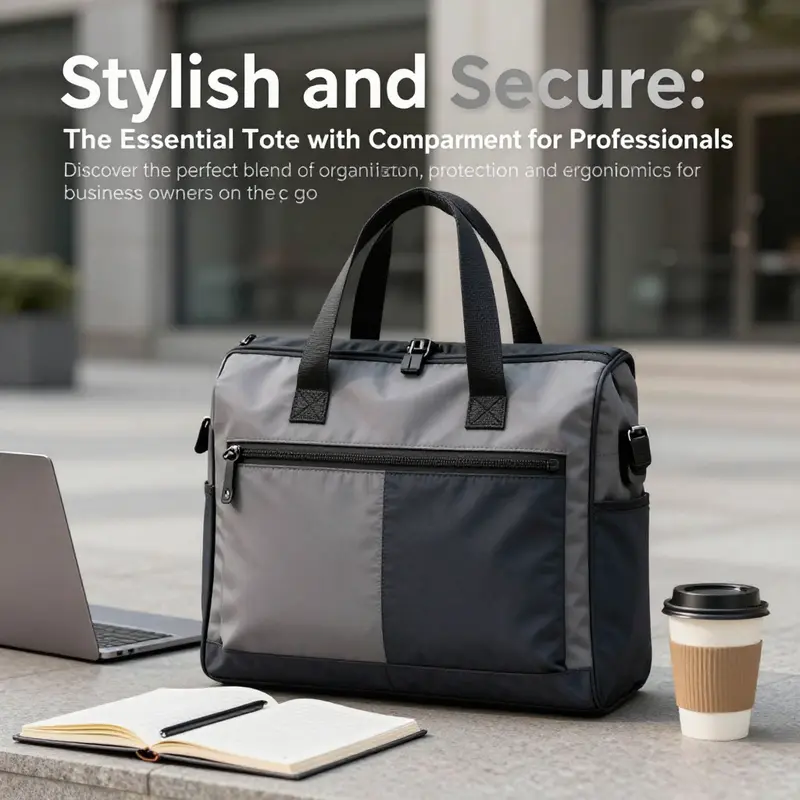
Navigating the demands of modern business requires a practical yet stylish solution for carrying essential devices. The tote bag with a laptop compartment presents an excellent option for professionals who want to combine mobility with functionality. Designed with a dedicated space for laptops, these totes help maintain organization while offering some protection against everyday wear and tear. However, understanding their suitability, ergonomic considerations, and key protection features is vital for ensuring both preparedness and comfort in your daily routine. As we delve into each of these aspects, business owners will gain insights that help them choose the right tote for their specific needs.
Carrying Confidence: The Suitability of Laptop-Compartment Totes for Today’s Professional
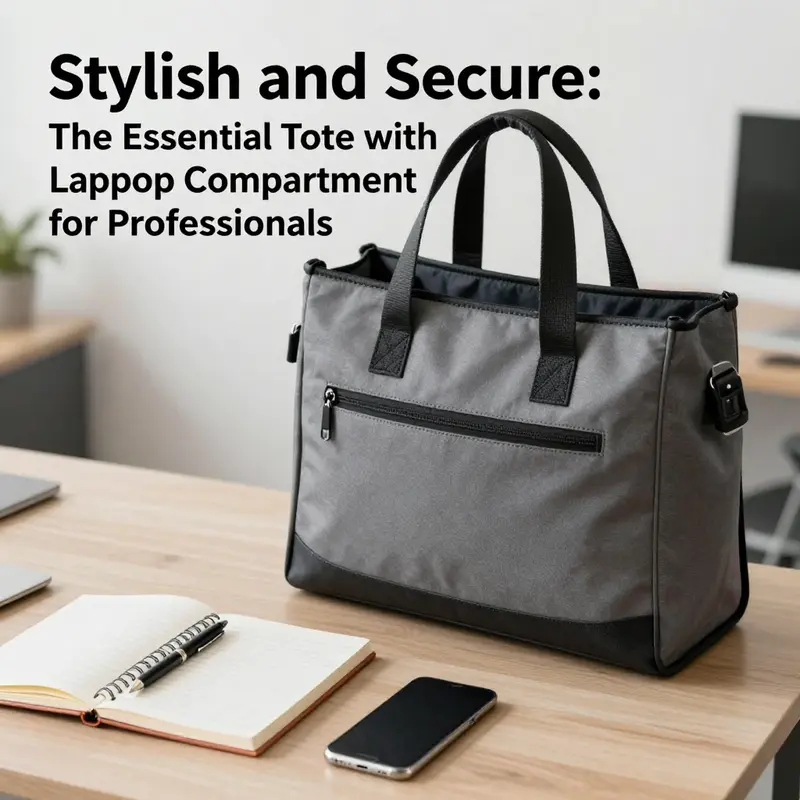
A tote bag with a built-in laptop compartment can feel like a quiet revolution in how a professional moves through a workday. It promises the ease of a single, polished accessory that can carry a laptop, a notebook, and a few essentials without turning the workflow into a scavenger hunt. But the true value of such a bag rests not just in the promise of security for the machine, but in how the bag integrates with the rhythm of a career that bounces between offices, client sites, and coffee-powered sprint sessions. The chapter that follows peels back the layers of that promise, examining how the design, the fit, and the ergonomics of a tote with a laptop compartment align with the practical needs and subtle tensions of modern professional life. The goal is not to champion one ideal bag over another, but to illuminate how a well-chosen tote can harmonize protection, organization, and posture in a way that supports both performance and health over the long arc of a career.
From the outset, it’s important to distinguish the core selling point of these totes: a padded laptop sleeve that is dedicated, cushioned, and anchored within the main body of the bag. In practice, that sleeve is often designed to shield a laptop from the bumps and micro-drops of daily transit. The padding is typically modest but meaningful, with cushioning on all sides to reduce the jolt of a crowded elevator, a long stairwell, or a sidewalk curb that has become a punishing obstacle course during rush hour. The evidence-based baseline suggested by research emphasizes a minimum of 5 millimeters of cushioning around the full perimeter of the device. While that cushion cannot erase all risk—no bag can replace a purpose-built backpack with a robust, purpose-built system for impact—it significantly lowers the chance of direct, hardware-altering hits when compared to simply tucking a laptop into an unlined tote pocket or a loose sleeve.
Yet the protection offered by a laptop-compartment tote is only one facet of its suitability. The internal dimensions matter almost as much as the padding. A common pitfall is sizing the sleeve to a diagonal measurement that ignores bezel width, protective sleeves, or added layers around the laptop. The practical implication is clear: a device marketed as fitting a 15-inch screen may not actually fit your 15-inch laptop if your machine carries a bulkier frame or an added protection case that broadens its footprint. Before purchase, the faithful recommendation is to measure the full footprint of the laptop with any case, charger, or thin skin in place. The memory of a hurried, late-afternoon scramble is not the moment to discover a mismatch that leads to awkward rearrangements on a crowded train platform. The emphasis on accurate fit becomes a practical ritual of smart shopping and durability planning, a small investment of time that pays dividends in how smoothly a bag behaves under pressure and movement.
If the laptop sleeve is the heart of the protection, the other interior compartments are its nervous system. A well-organized tote that includes dedicated sleeves or pockets for notebooks, tablets, pens, and small accessories helps keep the day’s cognitive load light. When every item has a clearly defined home, it reduces the time spent fishing for a charger or a spare notepad, which in turn minimizes the need to unload and repack in awkward, confined spaces—an important consideration for urban commuters who routinely navigate crowded stations, stairwells, and office lobbies. The goal is to cultivate a sense of calm within the bag’s interior geography, so that the user can focus on the task at hand rather than the search for a cable or a spare sheet of paper. Materials that are easy to wipe clean and resistant to minor spills add to that sense of reliability, especially in professions where daily life spills into client sites, cafes, and temporary workspaces. This combination of protection, organization, and durability makes the tote feel more like a trusted tool than merely a fashion accessory.
The aesthetic dimension matters too, and here the tote’s ability to straddle professional polish with personal style is not a trivial luxury. A bag that looks as good in a client’s conference room as it does in a coworker’s cafe conversation carries an implicit message: this is a well-considered part of an organized, intentional work routine. The line between fashion and function becomes blurred in a positive way when fabric choices, hardware quality, and colorways align with the wearer’s professional identity and the environment in which they operate. A tote that projects confidence can influence interpersonal dynamics. When a bag sits upright on a chair, the laptop secure and the contents orderly, it communicates a readiness that is both practical and aspirational. The professional who carries such a bag can project a sense of preparedness, one that supports clear thinking and measured action rather than hurried improvisation.
Still, a tote with a laptop compartment is not a universal solution. The ergonomic question looms large for anyone who regularly carries more than the bare minimum. Unlike the balanced load delivered by a backpack, most totes rest on a single shoulder, even with padded straps. The weight distribution—often concentrated at one point—creates an unavoidable strain, particularly as the total load increases. The impact of this uneven distribution becomes more pronounced when the day involves not just a laptop but a charger, notebooks, lunch, and perhaps a tablet or a few personal items. The issue is not simply discomfort; it is potential for longer-term musculoskeletal effects. As ergonomics consultant Dr. Lena Torres observes, “Uneven loads from single-strap bags can contribute to chronic musculoskeletal strain, especially in urban commuters who walk long distances.” The implication is not that the tote is inherently dangerous, but that posture and loading habits matter. The professional who relies on a tote must be mindful of the cumulative effect of daily travel and the way the bag sits, moves, and rests as the body carries it from street to stairwell to conference room.
With those realities in mind, the chapter that follows invites a balanced assessment: the tote with a laptop compartment offers meaningful advantages for professionals who need a compact, stylish, and protective carry solution for moderate loads. It provides a level of device protection that surpasses loose laptops and non-sleeved carry, and its integrated pockets support a more organized day than a plain bag. However, for heavier loads or longer commutes, a shift toward a back-supporting design—whether a dedicated laptop backpack or a more substantial, multi-pocket courier bag with reinforced protection—may be warranted to preserve long-term health and comfort. The practical decision is not a single universal rule but a situational judgement, tuned to the user’s daily patterns, the typical load, and the environmental contexts in which the bag travels.
From the entrée of the day to the end of the day, staying in rhythm with the bag’s capabilities matters. For a professional who begins with a 15.6-inch laptop and a few essentials, the tote can be the anchor of a streamlined routine. The internal padding, when properly measured and fitted, minimizes risk during transit between subway platforms and office elevators. The multiple interior compartments encourage a discipline of organization that reduces clutter—an intangible but highly valued asset in a fast-paced environment. The materials that withstand daily wear, the ease of maintenance, and the bag’s ability to endure coffee rings and ink smudges add a practical resilience that aligns with a professional’s expectation of durability.
Yet the day-to-day reality is that life rarely adheres to a pristine blueprint. Meetings run long; trains arrive late; a client site demands a table spread with papers and a power strip that becomes a temporary workstation. In those moments, the tote’s capacity to accommodate more than a laptop—while preserving shape, balance, and accessibility—becomes a test of design. A bag that features a robust, padded laptop sleeve but also a well-thought-out internal map of pockets and a structured base will stand up to the unpredictable demands of professional mobility. It is not the flash of a bag’s exterior but the quiet reliability of its interior that earns long-term trust. In this sense, the suitableness of a laptop-compartment tote is less about a single feature and more about an integrated system—how the padding, the fit, the organization, and the carry experience converge to support a professional’s day as it unfolds.
For those who navigate a hybrid day that oscillates between formal meetings and field visits, the tote offers versatility without requiring a mental switch between multiple bags. The ability to slide the bag onto a chair, to find a stable place on a desk, or to pull a charger from a discrete pocket without opening the main compartment all contribute to a smooth workflow. The design that makes these operations effortless is the design that sustains confidence. In some scenarios, a tote’s single-strap carry can be adjusted—through careful strap management or by choosing a bag with a slightly wider, more supportive shoulder surface—to distribute pressure more evenly. It is in these nuanced choices that the professional’s day becomes appreciably more comfortable and efficient.
Choosing the right tote is a matter of aligning physical fit with daily routines. The laptop’s footprint must be compatible with the bag’s interior, and the cushioning must meet a minimum standard that provides protection without adding unnecessary bulk. Beyond the device, consider how the bag accommodates other essential items you carry. If you need space for notebooks, chargers, lunch, or a water bottle, ensure the bag’s compartments are designed with this reality in mind. The best totes offer a sense of order that translates into energy savings: less rummaging, fewer moments of disruption, and more time for focused work or meaningful conversations with colleagues and clients.
To connect this practical frame to a concrete starting point, professionals curious about exploring broader options for laptop-ready totes can look at online guides and category pages that help illuminate different configurations, fabrics, and weight capacities. This kind of exploration can reduce the guesswork that often accompanies online shopping. For instance, if you want to see a broader range of options, you can explore the category of laptop tote bags for women, which captures a variety of styles and sizes designed for professional use. The link below points to a representative collection intended to illustrate the kind of features that matter most in a business setting: laptop tote bags for women.
Even as we acknowledge the tote’s strengths, it is essential to remain honest about its limits. A tote cannot inherently offer the same level of impact resistance as a purpose-built laptop backpack, especially in high-impact scenarios such as a fall on a crowded platform. The difference is not about one being better than the other in every context; it is about choosing the right tool for the right scenario. If you anticipate frequent, heavy loads, or if your commute involves long stretches of walking with the bag swinging at your side, the ergonomic cost can accumulate. In such cases, the more balanced load distribution of a backpack—closer to the body’s center of gravity—tends to reduce muscular fatigue and improve posture over time. This is not a condemnation of totes but a reminder that daily ergonomics are a function of both the bag design and the wearer’s carrying habits. The prudent professional weighs the advantages of a sleek, organized tote against the long-term benefits of a structured, evenly distributed carry system.
The practical approach then is to adopt a dual strategy: use the tote for lighter days, concise commutes, and meetings where minimal extra gear is required; reserve a backpack or a larger, more supportive bag for days that demand more equipment or longer journeys. Habitual practices also matter. Take minute steps that protect the spine and joints: alternate shoulders when feasible, adjust the bag height to keep the laptop roughly at elbow level when you stand, and avoid overloading beyond the point where the bag still sits comfortably against your side. Even small changes can accumulate into noticeable improvements in posture and energy during a workday. And when you do choose to carry extra items, the tote’s internal architecture—padded compartments, secure zippers, and well-separated pockets—becomes even more valuable, helping you keep the heavier items from pressing directly against the laptop or crowding the padded sleeve.
In summary, the line between a bag’s protection and a professional’s well-being is not drawn by a single feature but by how the features work together in real life. A tote with a laptop compartment can be a dependable ally for professionals who move with purpose and who value a clean, organized approach to daily tasks. It protects, organizes, and presents a professional image while allowing for efficient transitions between spaces. Yet this same bag requires thoughtful use: a measured load, careful fit checks, and occasional accommodation of heavier items by shifting to alternative carrying solutions when the day’s requirements exceed what a tote can comfortably manage. When approached with this balanced mindset, the tote becomes more than a carrier; it becomes a steady partner in the professional journey, one that supports the body, respects the work rhythm, and contributes to a sense of control in a world where plans can shift with little warning.
For readers seeking guidance on how to identify and select a tote that aligns with their lifestyle, a broader designer-tote guide offers valuable perspectives. The linked guide emphasizes the importance of balancing fit, materials, and size with daily routines, helping readers translate textile choices into long-term practicality. While the focus here is on the laptop-compartment tote’s suitability for professionals, the larger framework of thoughtful tote selection—considering fit, protection, and ergonomics—applies across styles and contexts. As you refine your bags, remember that the best choice serves your workflow and your health as much as your look. External resources can provide deeper insights into the design considerations that shape durable, work-ready totes.
In closing, the tote with a laptop compartment carries the weight of both purposes and moments—the moments of focus in a meeting, the moments of transit between spaces, and the moments of quick decision when a jacket pocket, a charger, or a notebook needs to find its own place. Its success as a professional tool lies not in chasing perfection but in delivering reliability, comfort, and a quiet confidence that comes from knowing your everyday carry is aligned with your peak performance.
External resource: https://www.britishstylemagazine.com/2026/01/23/how-to-identify-and-choose-the-ideal-designer-tote-bag-tailored-to-your-lifestyle/
Carrying with Care: Ergonomic Realities and Practical Wisdom for Totes with Laptop Compartments
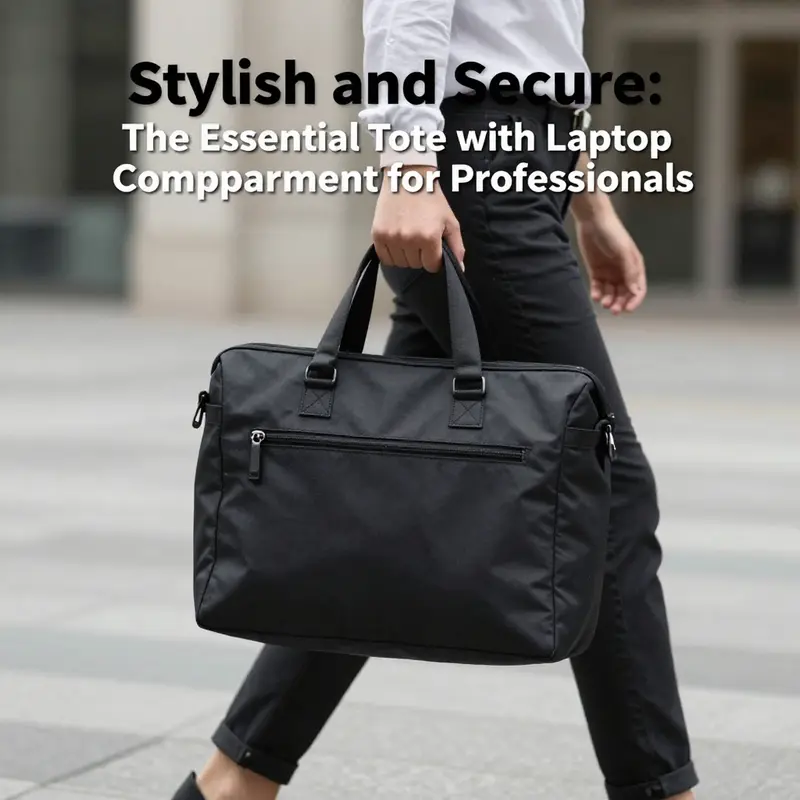
The tote bag has long been a symbol of effortless versatility—a fashion-forward, endlessly usable carrier that slides through the day from coffee shop to coworking space to after-work plans. When a laptop slips into a dedicated sleeve inside that tote, the bag becomes more than a convenience; it becomes a compact, mobile workstation. Yet as this arrangement grows in popularity, a careful eye turns to ergonomics. The very feature that makes a tote appealing—the ability to carry a lot in a single, slung bag—can also cultivate habits that challenge the body over time. The chapter you’re reading lies at the intersection of style, practicality, and the body’s capacity to move through the day with grace. It invites a lucid look at how the design of a tote with a laptop compartment, how we load it, and how we carry it can either support or strain our musculoskeletal system, especially during daily commutes in crowded urban environments or long stretches of walking between meetings and trains.
A core ergonomic concern centers on weight distribution. Tote bags typically rely on a single shoulder strap or, in some cases, top handles that are looped over one shoulder or carried in the hand. This setup concentrates the bag’s weight on one side of the body. When the laptop inside is sizeable—up to 15 inches in many cases—the combined weight of the device, its protective sleeve, and the other contents quickly adds up. The asymmetry of load is not just a momentary feeling; it translates into measurable biomechanical effects. Dr. Lena Torres, a respected physical therapist who specializes in ergonomic injuries, emphasizes that uneven loads from single-strap bags can contribute to chronic musculoskeletal strain, particularly for urban commuters who walk long distances. This is not simply about discomfort after a long day. Repeated asymmetrical loading can influence neck posture, shoulder tension, and spinal alignment over months and years, especially when the bag’s contents exceed a comfortable threshold.
A practical consequence of this imbalance is how the body adapts under load. The neck tends to tilt toward the heavier side, the shoulder on the opposite side may compensate to anchor the bag, and the torso can rotate slightly as the hips bear the brunt of the carry. In theory, a well-padded strap and mindful carrying technique can soften some of this impact. In reality, even premium totes with sleeves that cradle a laptop provide only limited defenses against the dynamic forces of daily movement. The interior padding is generally designed to cushion the device from minor bumps, not to act as a shock-absorbing shell. That distinction matters. A tote’s internal padding—often just a single layer of foam inside a soft-lined sleeve—can help prevent direct contact between the laptop and the fabric or the bag’s own shell, but it is not a rigid barrier against jostling, side impacts, or the abrupt motions that occur when a bag is placed on a crowded floor, slid under a bus seat, or squeezed into a tight overhead bin.
This nuance aligns with broader research in portable device protection. A 2023 study from the Consumer Electronics Protection Institute compared the impact forces experienced by laptops transported in different bag architectures during simulated drops. The results showed that backpacks, with their reinforced compartments, padded back panels, and structured frames, reduced impact forces by as much as 40 percent relative to totes. The implication is clear: while a tote with a laptop sleeve offers better protection than carrying a laptop loose, it does not inherently match the rigid protection and distributed loading of a well-designed backpack or a purpose-built laptop sleeve inside a more rigid carrier. This is not a judgment about tote fashion or function; it is a practical acknowledgment of how the geometry of a bag interacts with the physics of movement and the realities of urban transit.
A second structural concern relates to how the laptop sleeve is engineered within the tote. The sizing of the sleeve—particularly when claimed as “up to 15 inches”—often hinges on diagonal screen measurements, which can be misleading if the bezel width, protective skins, or additional padding are not accounted for. In other words, the internal dimensions matter, and savvy buyers measure the full footprint of their device before purchasing. This is not simply a gadget-oriented precaution. If the laptop does not sit snugly within its dedicated pocket, it can shift during transit, bumping against the bag’s walls or adjacent items. Movement translates into micro-bumps that, over time, may contribute to internal wear or even a sense of instability while walking. A secure, snug fit reduces that movement and, by extension, the cognitive burden of keeping the device upright with every step.
The aesthetic charm of a tote often lies in its minimalist silhouette, the way it drapes over a shoulder, or the way it rests easily against the body when carried by hand. Those visual cues can inadvertently obscure ergonomic realities. A tote that is oversized relative to the user’s frame may tempt a heavier load or encourage slinging more items into the tote than the body should reasonably carry. The temptation is real: when a bag looks like it can handle a lot, it tends to be filled with a mix of everyday items—laptops, chargers, notebooks, lunch, a water bottle, and perhaps a spare sweater. While space is a virtue, excessive load introduces a cumulative strain that can accumulate across a week of commutes. And because the tote’s design emphasizes a flexible, often unstructured interior, there is a natural tendency for contents to shift and settle unevenly, which can tilt the bag’s center of gravity away from the wearer’s spine. Even the most thoughtfully padded sleeve cannot entirely compensate for a pack that is overloaded or poorly organized.
Recognizing these realities invites a set of practical recommendations. First, prioritize ergonomic balance in daily habits, not just in bag construction. Even with a well-cushioned laptop sleeve and robust interior padding, the decision to carry a heavy load should be tempered by conscious practice: rotate duties between bags when possible, switch shoulders for longer walks, and avoid overloading beyond a comfortable threshold. A widely acknowledged guideline is to cap the carry weight in a tote at an amount that respects the wearer’s neck, shoulder, and back strength. While there is no universal metric, many ergonomists agree that repeatedly carrying more than five to seven pounds can begin to tax the spinal column and surrounding musculature, especially if the load is carried on a single side day after day.
Within the bag itself, the organization can play a vital role in reducing strain. A laptop sits most effectively when it is stowed in a sleeve that prevents movement within the bag. The sleeve should offer a minimum of five millimeters of cushioning on all sides, a standard that helps absorb minor shocks and reduce the direct impact on the device during daily commutes. This padding does not magically transform a tote into a protective chassis, but it does create a more stable micro-environment for the laptop, guarding against internal sliding that could rub the device against zippers, metal hardware, or other items. The user can further minimize movement by placing heavier items toward the back of the tote, directly behind the laptop sleeve. When heavier devices or accessories press against the laptop or press inward from the bag’s interior, it further secures the device in place and reduces the frequency and intensity of contact between the laptop and the bag’s interior walls.
A corresponding ergonomic concern is how the bag rests on the body during movement. Tote straps are wide enough to distribute some pressure, yet the single-strap design concentrates force on one shoulder. Even a well-padded strap can feel uncomfortable after a long day if the weight is not balanced with other load management strategies. The ergonomic science behind this is straightforward: when a bag drags on one side, the spine must compensate, leading to lateral tilting of the pelvis and compensatory curves in the neck and upper back. This is not an indictment of tote bags alone; it is a reminder that any single-strap carrier will challenge the body more than a backpack, which distributes weight across both shoulders and keeps the load closer to the body’s center of gravity. The body’s natural response is to tighten in the shoulders, lean forward slightly, and work harder to maintain forward propulsion. Over time, these compensations can contribute to muscle fatigue, tension headaches, and, in more pronounced cases, chronic postural adaptations.
Against this backdrop, the design cues that improve ergonomic outcomes become meaningful. A tote that emphasizes a well-padded, contoured shoulder strap with adequate width can mitigate some pressure, especially if the strap is adjustable and positioned to sit comfortably at the clavicle rather than higher up on the neck. Some models also include a secondary, slim crossbody strap that can be deployed to carry the bag across the torso when heavier loads are anticipated. While the body’s center of gravity remains a consideration, shifting the bag’s load toward the torso can reduce the angular torque applied by a bag simply hanging from a single shoulder. In practice, that means thinking about how the bag is worn, not just what is packed inside.
The design features that contribute to a more ergonomic experience do not exist in a vacuum. They interact with user behavior, commute patterns, and even the micro-architecture of the workday. A bag designed with a more rigid framework, reinforced base, and interior dividers can help the user maintain a uniform distribution of weight while minimizing the risk of content shift. But when a tote prioritizes flexibility over rigidity, it can undermine the very stability a laptop sleeve offers. The tension between flexibility and protection is not merely a technical trade-off; it is a reflection of how real people move through real spaces—crowded subway cars, busy coffee shops, and long corridors between offices. In such contexts, even small design choices—how the bag closes, where the laptop sleeve sits within the interior, how the strap attaches to the bag’s body—can affect the user’s comfort, posture, and long-term health.
For readers seeking practical takeaways, the answer is not to abandon totes altogether. Rather, it is to balance aesthetics and ergonomics, recognizing when a tote is the right tool for the job and when a backpack or a more protective solution is warranted. If a tote is chosen for its style and convenience, one can adopt a set of habits that reduce risk and improve comfort. For instance, avoiding overloading the bag by curating essential items only, using a compact set of accessories, and investing in a laptop sleeve with robust edge protection and thick padding are steps that matter. It also helps to place the laptop toward the body’s center and to load heavier items toward the back. When the commute becomes long or the workload heavy, switching to a backpack for that leg of the journey can preserve posture and reduce fatigue. The aim is not a universal prescription but a practical, adaptable approach that respects both the allure of the tote and the physics of movement.
The broader design literature on bags and devices suggests that a balanced approach—combining protective features with mindful carrying practices—can deliver the best outcomes. It is worth noting how a simple, well-integrated feature in a tote can influence daily habits. A padded laptop sleeve, when properly sized and positioned, can reduce device movement and add a confidence that the device will endure the day with less friction. A robust, internal organization system reduces rummaging and overpacking, which in turn reduces the time the bag remains in awkward, top-heavy states. In this sense, design is not merely an aesthetic choice; it is a practical partner in maintaining comfort and health across a week’s worth of commuting.
To connect these ideas with concrete, everyday decisions, consider this scenario: you leave home with a tote that has a padded laptop sleeve and a handful of other essentials. You navigate a crowded train, you reach a platform edge, you duck into a stairwell, and you catch a bus. Each step involves micro-adjustments—the bag tilts, your shoulder compensates, your posture subtly shifts. The consequences of repeated micro-adjustments accumulate. The goal is to make those micro-adjustments require less muscular effort, to keep the spine in a neutral position, and to minimize the risk of strain. With that aim, the best practice is to pair a well-designed tote with conscious carrying choices and, when needed, to reserve heavier loads for a backpack. The path to long-term comfort is not a single invention but a set of habits that, together, reduce risk while preserving the tote’s practical and stylistic appeal.
For readers who want to explore a tangible example of a tote design that integrates a padded laptop sleeve, see this option focused on a tote bag with a computer sleeve. It illustrates how a thoughtfully constructed sleeve can hold a device securely while leaving room for essentials, without sacrificing form or function. You can explore the concept here: tote bag with computer sleeve. This internal reference is not a blanket endorsement of one model but a prompt to consider how the sleeve’s padding, fit, and alignment with the bag’s interior can influence daily ergonomics. The takeaway is simple: the better the internal fit, the less the body has to compensate, and the more comfortable the day becomes.
In closing, the ergonomic story of a tote with a laptop compartment is a narrative of balance. It recognizes the allure of a bag that can carry more, look sharper, and adapt to a restless urban rhythm. It also accepts the reality that the body has limits and that repetitive, asymmetrical loading can contribute to fatigue and misalignment. The practical path forward—especially for people who juggle multiple items beyond the laptop—lies in combining thoughtful bag design with mindful use. Choose a tote with a padded sleeve that fits your device snugly, distribute weight sensibly, and be prepared to switch to a backpack or reconfigure your load when longer journeys or heavier days demand it. With those choices, the tote remains a reliable ally rather than a recurring source of neck or shoulder strain.
External resource for further context on tote design and durability can be found here: https://www.wired.com/story/best-tote-bags/
Guardians on the Go: The Protection Features of Laptop-Compartment Totes
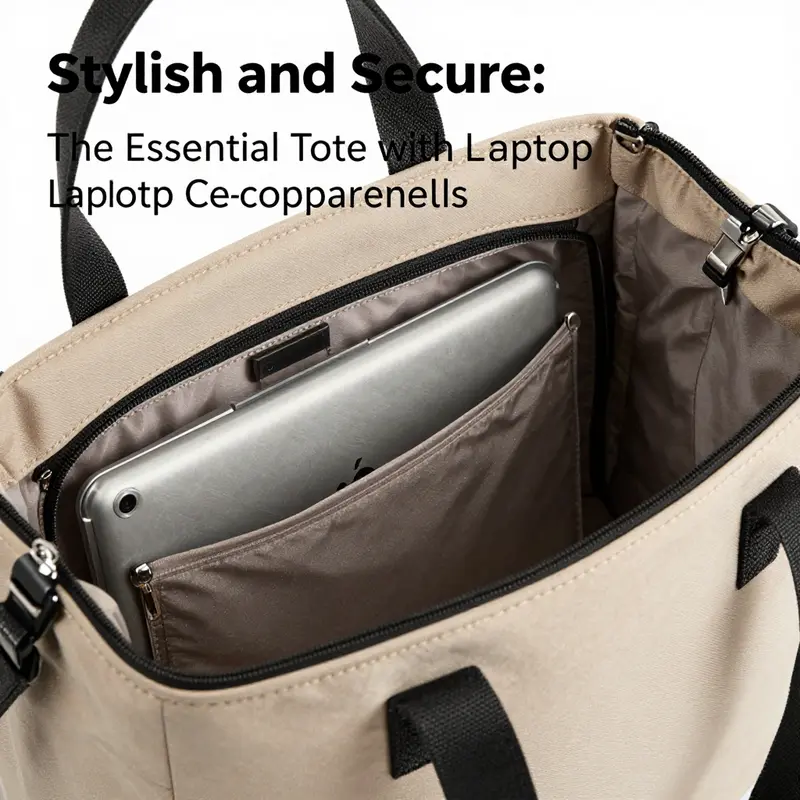
A tote bag with a laptop compartment is more than a fashion statement or a convenient carryall—it is a compact, purpose-built guardian for a portable workspace. In contemporary urban life, where the laptop often serves as a primary tool for work, study, and creative projects, the protection features tucked into the design of a tote can meaningfully influence how often a device leaves its owner unscathed and ready to perform. The core idea behind these bags is simple: create a dedicated space that shields the device from scratches, minor shocks, and the incidental bumps of everyday transit, while offering enough room for chargers, notebooks, and a few personal essentials. Yet simplicity can be deceiving. The best protection is not just a soft cushion in the middle of the bag; it is a careful integration of materials, geometry, and practical ergonomics that together yield a product that feels calm in motion and confident in a crowded train aisle or a bustling sidewalk sidewalk seam. The chapter that follows traces how these protective features work in concert, what design choices amplify or dilute protection, and how real-world use shapes the decisions about when a tote is sufficient versus when a backpack delivers superior safety for a device and the body carrying it.
At the heart of most protection claims for laptop-tote systems lies the padded laptop sleeve. This element is not merely a decorative pocket; it is a purpose-built buffer that sits in the central portion of the main compartment and lines the inside with a soft, high-density material. The typical padding is a few millimeters thick on each side, but what matters is not only its individual thickness but how it is integrated with the sleeve’s anchoring and the bag’s geometry. When a laptop sits in a well-made sleeve, it is nestled in a cradle that reduces the chance of direct contact with other items and absorbs small shocks that arise during routine movement—stepping onto a curb, negotiating a crowded escalator, or a sudden bump from a passing tote. In practical terms, this padding can diminish the perceived jolts by several degrees, softening the experience of a move from the platform to the street and easing concern about imprints or scuffs along the device’s metal edge or glossy lid. A padded sleeve, then, is the first line of defense against the intricacies of urban transit.
The choice of outer material is not cosmetic either. A robust tote typically employs water-resistant polyester, ripstop nylon, or durable canvas. Each material offers a distinct balance of abrasion resistance, water repellence, and weight. Water resistance helps keep incidental moisture—light rain splashes, damp subway stairs, or a spilled bottle—away from the laptop and its sleeve, while abrasion resistance protects the bag’s interior from fraying when heavy, metal-edged items shift during a commute. The protection afforded by these materials is not absolute, but the combination of a protective inner sleeve with a resistant outer shell substantially lowers the risk of moisture damage and minor surface wear. The best designs anticipate the kinds of environments commuters routinely inhabit: a damp morning, a crowded bus, a corner café where a tote may rest near a spill, or a hallway where a bag might brush a metal chair leg. In these contexts, the outer fabric’s resilience plays a meaningful supporting role to the inner cushioned core.
To evaluate protection more explicitly, it helps to consider the physics of a short drop or a small impact, which is precisely the kind of incident that a tote is likely to encounter in daily life. Dr. Alan Reyes, an Electronics Durability Analyst at TechShield Labs, has described how padding can reduce impact forces during brief falls. In his assessment, a well-cushioned laptop sleeve can absorb a substantial portion of the energy from a minor drop, potentially reducing the effective impact by up to 70 percent in controlled, short-duration drops. This statistic is illustrative, not absolute, and it rests on a controlled scenario with a padded sleeve properly fitted to the device. The caveat remains that soft-sided totes lack the rigid internal framing of a backpack, which means the protective benefit is highly dependent on how much pressure the bag experiences and how the laptop is positioned within the sleeve. In other words, padding helps, but it is not a substitute for structural protection.
The structural element of protection is where tote bags encounter a crucial limitation. Unlike backpacks, totes generally do not incorporate rigid internal frames or shock-absorbing panels across the entire bag. The absence of a hard shell or a defined internal barrier means that the laptop can be more exposed to crushing forces when the bag is set down, stacked, or squeezed between items on a crowded shelf or in a vehicle trunk. The upshot is that a tote’s protection is most robust when the bag remains within a predictable, low-pressure context—daily commutes, brief meetings, and general city travel—where the likelihood of heavy loads or high-impact jostling is relatively low. In high-stress contexts, such as bike commutes through traffic or navigating tight crowds where the bag may press against the hip and torso or be bumped repeatedly from multiple angles, the risk profile shifts. In those scenarios, the absence of a rigid frame means the device may ride lower in the bag or press against other items, compromising the sleeve’s padding over time.
A thoughtful approach to enhancement in totes, therefore, is the combination of an enclosed, zippered laptop compartment with internal dividers that stabilize the device independently of the main bag. A fully enclosed laptop compartment keeps the sleeve separate from other items—reducing chance of contact with charging cables, notebooks, or a water bottle that could press against the lid or edges. The zipper itself can function as a secondary barrier against accidental openings that could permit items to shift or press into the laptop area. Internal dividers are equally valuable; they prevent chargers, cables, and notebooks from pressing directly against the laptop and they help to maintain a fixed position for the device even when the bag is rocked during transit. These features do not transform a tote into a high-protection device, but they amplify reliability in ordinary use, creating a more predictable micro-environment for the laptop.
Security considerations also occupy a place in the protection narrative. Some models include anti-theft elements such as lockable zippers or RFID-blocking pockets. The former discourages opportunistic tampering on crowded routes, while the latter helps protect sensitive information stored on RFID-enabled cards or identity badges that might be carried in the same compartment. It is worth noting, though, that these security features address data protection and bag security rather than the physical protection of the device itself. They are a valuable complement to the physical protection package, especially for commuters traversing dense urban networks where bag manipulation and theft are more plausible. The overall protective envelope thus becomes a blend of cushioning, enclosure, organization, and security—each layer contributing to the likelihood that a laptop emerges from the bag in the same condition in which it entered.
Even with these protections, a tote’s performance is not uniform across all scenarios. The single-strap design that characterizes most totes places the load on one shoulder and an arm, creating a tilt of the bag that can alter how the laptop sits inside its sleeve. This tilt can cause one corner to bear more weight or to press more firmly against the sleeve or the bag’s interior. Over time, uneven loading can contribute to wear patterns on the laptop and the sleeve, potentially reducing the effectiveness of the padding and increasing stress on the zipper or seams. Ergonomic concerns extend beyond the device to the body that carries the bag. According to Dr. Lena Torres, an ergonomics consultant at the Urban Spine Health Institute, uneven loads from single-strap bags can contribute to chronic musculoskeletal strain, especially in urban commuters who walk long distances. This insight is not a swipe at totes; it is a reminder that protection and comfort should be considered together. A tote can protect the device and provide practical organization only if the carrier also maintains good habits—avoiding overloading, balancing weight with lighter items in other compartments when possible, and alternating bags or switching to a backpack on days when the load becomes unwieldy.
In practical terms, what does a well-protected laptop look like when you reach for your bag in the morning? You should feel a calm boundary around the laptop within its sleeve—a snug fit that does not permit the device to slide around with the bag’s motion, but not so tight a fit that it strains the zipper over repeated use. The padding should not feel compressed by the weight of multiple cords, a lunch container, or a heavy notebook; instead, the internal dividers and the sleeve should create an intentionally allocated space that remains stable as you walk or board a transit vehicle. The outer shell should resist moisture without making the bag overly stiff, and the zipper should operate smoothly, even after daily use across many months of travel. If the design emphasizes a rigid, protective frame or a gusseted panel that maintains a fixed distance between the laptop and the bag walls, it signals a higher emphasis on protection that approaches the behavior of a light-duty briefcase or a compact backpack. In contrast, a minimalist tote that leans more toward softness and ease may be better suited to a laptop that is well housed in a padded sleeve yet requires careful handling in busy environments. The protection equation here is not a single decision but a balance among padding, enclosure, structure, and user behavior.
From a design perspective, the most protective totes are those that blend robust internal organization with thoughtful access. A fully enclosed, zippered laptop compartment is not merely a convenience; it represents a control mechanism that helps ensure the laptop remains in place as the bag is opened and closed in station lobbies, on crowded buses, or during quick transitions between meetings. Additional internal dividers create pockets for accessories that are otherwise likely to press against the device, such as a bulky charger or a travel mouse. When these elements are present, the risk of the laptop contacting hard edges or sharp corners inside the bag is minimized. The best protective bags also employ a well-executed seam strategy and reinforced stress points, reducing the risk that a single snag or tug could compromise the laptop area. The message is clear: protection features work best when they are integrated—when padding, enclosure, dividers, and structural reinforcement cooperate rather than compete for space inside the same fabric.
Given that a tote bag is often selected for its everyday practicality, it is also worth considering the relationship between protection and capacity. A bag that can carry a laptop and a week’s worth of daily items without feeling heavy or unwieldy tends to be one that shoppers will actually use daily. The ergonomic truth is that even the most protective design can lose its value if it prompts the user to reconfigure their life to accommodate the bag. When a tote becomes a burden, it invites abandoning the protector in favor of convenience, which defeats the very purpose of the laptop compartment’s protective promise. Therefore, a truly protective tote must be designed with a realistic understanding of daily load, pace of life, and the urban micro-ecosystem in which it will be used. The bag should feel balanced when worn, give the laptop a sense of quiet calm, and offer straightforward access when you need to retrieve or stow your device between meetings or during a commute.
To summarize the protective logic in practical terms: padding in a dedicated laptop sleeve cushions against minor shocks and scratches; the outer fabric provides moisture and abrasion resistance; a fully enclosed, zippered compartment and internal dividers minimize movement and contact with other items; anti-theft features add security in busy environments; and ergonomic considerations remind us that protection is inseparable from how we carry and balance the bag across the day. A tote that integrates these components well can offer solid daily protection for a laptop in low- to moderate-risk environments. It is not, however, a substitute for the heightened protection that a well-padded backpack or a laptop-specific sleeve inside a more rigid bag can provide in high-impact scenarios or for heavy, all-day loads. When weight or risk rises, switching to a different carrier is a wise investment in long-term device safety and user well-being.
For readers seeking a concrete reference on how these ideas translate into product design and consumer experience, consider checking a dedicated exploration of tote bags with computer sleeves, which examines how the sleeve and enclosure interact with everyday use. This resource offers insights into the idea that the laptop’s protection hinges not only on padding but also on how the laptop sits inside a securely closed, well-organized interior. tote bag with computer sleeve.
In the end, protection is not a single feature but a layered approach. The tote’s protection package—padding, enclosure, surfaces, and organization—works best when aligned with the user’s routines and the environment’s demands. A thoughtful configuration reduces the chances of accidental damage, keeps the laptop accessible for quick work sessions, and respects the body’s need for ergonomic balance. The chapter’s emphasis on integrated protection is not about chasing maximum rigidity or maximum cushion in isolation; it is about designing a harmonious system where each element reinforces the others. The result is a bag that can stand up to the daily grind while preserving the laptop’s integrity and the user’s comfort—an important distinction for anyone who relies on a portable workspace to stay productive, creative, and connected.
External reference: For context on how tote protections perform in real-world use and to explore a broader range of protective designs, see The Best Tote Bags That Hold It All Together When You Can’t – WIRED: https://www.wired.com/story/best-tote-bags/
Final thoughts
Ultimately, a tote with a laptop compartment serves as a versatile option for professionals seeking a practical yet fashionable way to carry their essential devices. By understanding their suitability, ergonomic factors, and protective features, business owners can make informed choices that enhance their daily productivity. As you consider your next purchase, prioritize a tote that meets not only your style preferences but also the demands of your daily professional life, ensuring both efficiency and comfort.