

Choosing the right laptop tote is not merely about aesthetics; it plays a crucial role in how business owners project their professional image while ensuring practicality. Today’s work environment demands a bag that complements one’s style but also caters to functional needs without compromising comfort. This article delves into the heart of tote laptops, focusing on balancing a professional image with practical utility. We’ll explore key considerations such as how to select the right tote that reflects your brand, the dimensions that accommodate essential gear, and the ergonomics necessary for daily use. Each chapter builds on the previous insight, creating a holistic understanding that empowers business owners to make well-informed choices.
Tote Laptop Choices: Striking a Professional Look Without Sacrificing Practicality
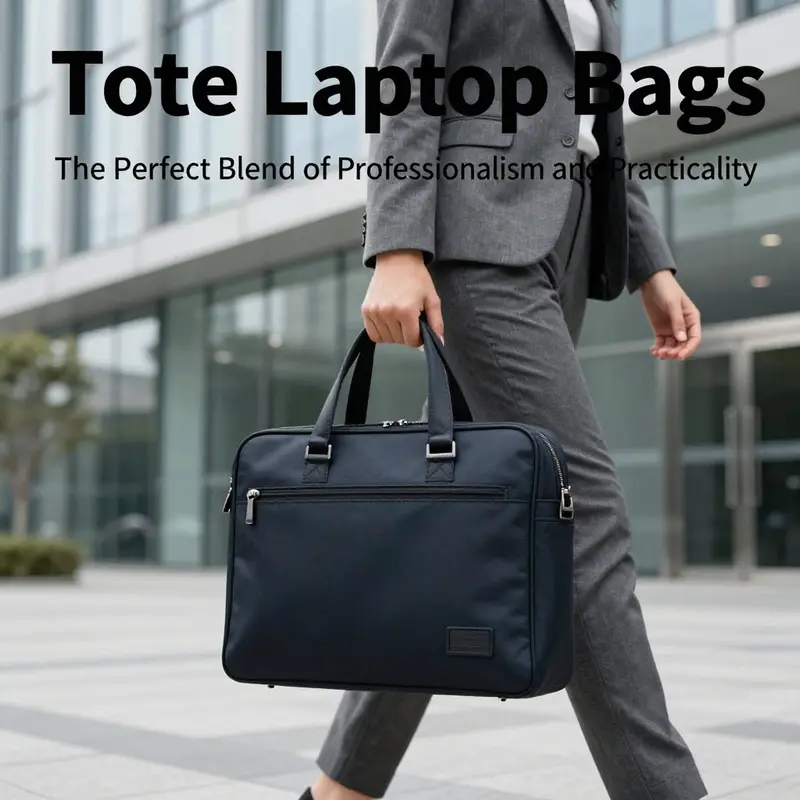
Balancing professional presence and day-to-day usefulness requires a clear approach to choosing a tote laptop bag. A tote should protect your laptop and essentials while projecting an image that supports your work. It must be comfortable to carry, durable under daily wear, and organized enough to keep your tools accessible. The right tote manages those demands without calling attention to itself. It becomes part of your routine, not the centerpiece of it.
Start with how you want to be perceived. A minimalist silhouette in a neutral color reads as professional and composed. Clean lines and refined hardware communicate restraint and attention to detail. When you enter a meeting with a tidy tote, people notice the small cues: a structured shape, a subtle closure, and no bulging pockets full of cords. Those cues suggest organization and preparedness. At the same time, a tote that is overly ornate or clearly designed to show wealth can distract from competence. Choosing a discreet aesthetic keeps the focus on your work rather than on status.
Material choice anchors both look and longevity. Full-grain leather offers a classic finish and develops a patina over time. Ballistic nylon resists scuffs and resists moisture. Canvas can be lighter and casual while remaining tough. Vegan leather provides a polished appearance with easier maintenance and a lower environmental footprint. Consider how each material ages, how it performs in rain and transit, and how it aligns with your daily activities. If you commute by bike, durable and water-resistant fabrics matter. If your workroom is high-end client meetings, a structured leather tote may be appropriate. Match material to context and use.
Size and internal layout determine whether a tote will actually fit your life. Most laptop totes accommodate devices from thirteen to seventeen inches. Yet fit is more than diagonal screen size. Measure your laptop with its protective sleeve and any docking accessories. Account for a charger, a phone, a small notebook, pens, and a reusable water bottle. A tote that claims to fit a 15-inch laptop may still be too snug once you add a sleeve and accessories. A bag with a slightly larger padded compartment and a few segmented pockets will help distribute weight and keep items from shifting.
Protection is non-negotiable. Padded sleeves and reinforced bottoms reduce impact when you sit the bag down or tuck it into overhead bins. Secure closures help deter casual theft; a top zipper or flap with a fastener keeps contents safe while you move through crowded areas. Internal anchoring straps for a laptop sleeve reduce slippage inside the tote. Water-resistant linings prevent small spills from soaking through. A tote that balances padding with a slim profile protects devices without turning the bag into a bulky case.
Organization keeps you efficient. A good tote separates the essentials into easy-to-reach compartments. A dedicated laptop sleeve allows fast removal at checkpoints. A padded pocket for a tablet prevents surface scratches. A zippered interior pocket secures keys and wallets. Elastic holders for pens and a small pouch for cables prevent the scramble for adapters before a meeting. The arrangement should reflect how you work: if you frequently pull out documents, prioritize a flat document sleeve. If you use small chargers and dongles, include a modular pocket area. Thoughtful internal design reduces stress in transit and streamlines meeting transitions.
Ergonomics matter for health and comfort. Carrying heavy loads on one shoulder can strain muscle balance and posture. Keep the total carried weight reasonable and consider dual-strapped designs to distribute load evenly. Padded shoulder straps reduce pressure on the trapezius muscles. Adjustable straps let you set the tote height to minimize forward lean. Some designs include a crossbody option or a removable padded strap for longer walks. Others add a trolley sleeve to attach the tote to rolling luggage, minimizing the need to carry it. Prioritize features that reduce repetitive strain during commutes.
Balance capacity with simplicity. Totes designed like briefcases may have every pocket imaginable. While this can be helpful, excess compartments can create bulk and weight. Choose a tote with a few well-placed pockets rather than a large number of tiny compartments. A roomy central cavity with well-designed pockets is often superior to many small sleeves. Consider a tote whose pockets match the items you actually carry. If you rarely use a particular pocket, it should not be a decisive factor in buying.
Weight distribution within the bag is as important as strap design. Place heavier items near the top and close to the body. That reduces leverage on the shoulder and spine. Use padded laptop compartments close to the back panel. Keep frequently used items toward the top for easy access. When packing, avoid letting water bottles or bulky items roll to the bottom and create imbalance. A tote with internal anchor points or adjustable dividers helps maintain an even load and makes the bag feel lighter on the shoulder.
Durability extends the bag’s life and lowers long-term cost. Reinforced stitching at stress points and quality hardware like zippers and rivets keep a tote functional for years. Examine seam construction and strap attachments before buying. A replaceable shoulder strap or repairable hardware increases the bag’s longevity. Consider how each material behaves in real conditions; natural materials age and can be restored, while synthetics often resist stains. Choose construction that matches your intended use and commute intensity.
A clean, professional look need not mean sacrificing comfort. Structured totes that stand upright preserve a tidy silhouette. Slightly tapered profiles reduce bulk while maintaining capacity. Some designs include a reinforced base that shields contents when you set the bag down. When structure is combined with padded straps and smart weight placement, you retain a polished appearance and ergonomic support. Seek a tote that looks composed even when filled. A well-designed tote resists slumping and keeps essentials organized.
Security features should be subtle yet effective. Top zippers, internal zippered pockets, and discreet RFID-blocking compartments protect sensitive items. A tote that closes completely reduces the risk of accidental loss. A small external pocket with a hidden zipper gives quick access to transit cards while keeping them secure. These measures are practical, not ostentatious. They enhance confidence during travel and in busy urban settings.
Aesthetic flexibility broadens a tote’s usefulness. Neutral colors pair easily with business attire and casual wear. A tote that moves seamlessly between boardroom and cafe reduces the need to own multiple bags. Consider subtle textural contrasts, like matte hardware or a mix of fabric and leather, to add interest without drawing attention. Choose finishes that resist visible wear and maintain a clean appearance, especially if you meet clients frequently.
Maintenance affects long-term satisfaction. Leather requires conditioning and protection from prolonged moisture. Synthetics may only need a quick wipe. Removable liners make cleaning easier after coffee spills. Opt for finishes that align with your willingness to care for the bag. If you prefer low maintenance, choose a robust synthetic or treated canvas. If you appreciate the character of leather and are willing to care for it, a leather tote can reward you with a refined patina.
Think about adaptability. A tote that accepts modular inserts or packing cubes can convert from daily commuter to weekend carry. Removable laptop sleeves double as protective cases when you want a lighter tote for quick trips. A trolley sleeve increases convenience for travel. A convertible strap gives multiple carry options and behaviorality. Seek small features that expand how you use the bag without complicating its primary tasks.
Sustainability can guide material choices. Recycled fabrics reduce raw material use. Vegetable-tanned leather avoids some harsh chemicals. Vegan materials avoid animal products entirely. If environmental impact matters to you, inquire about materials, production practices, and repair policies. A bag built to last reduces waste compared to cheaply made alternatives.
When you decide, try packing your usual set of items into a tote before committing. Measure the laptop with its sleeve and include a charger, notebook, pens, and bottle. Walk with the bag for several minutes to test strap comfort and balance. Check how easily you can retrieve essentials in common situations, such as when standing in line. Assess whether the tote’s performance aligns with your daily rhythm.
A tote that balances professional appearance and practical functionality becomes a dependable partner. It protects devices, organizes essentials, and supports your posture. It complements work attire without competing for attention. Whether you prioritize minimal presentation, rugged commute readiness, or convertible versatility, focus on the features that will genuinely improve your daily routine. For a closer look at curated options and expert reviews, see this review of top-rated tote laptop bags: https://www.nytimes.com/2024/10/15/style/best-laptop-tote-bags.html. For examples of work-oriented designs and variations to consider, explore this guide to a practical laptop work tote: https://alltotebags.com/laptop-work-tote/.
Measured Fit, Lasting Style: How Tote Laptop Dimensions Guard Your Essentials
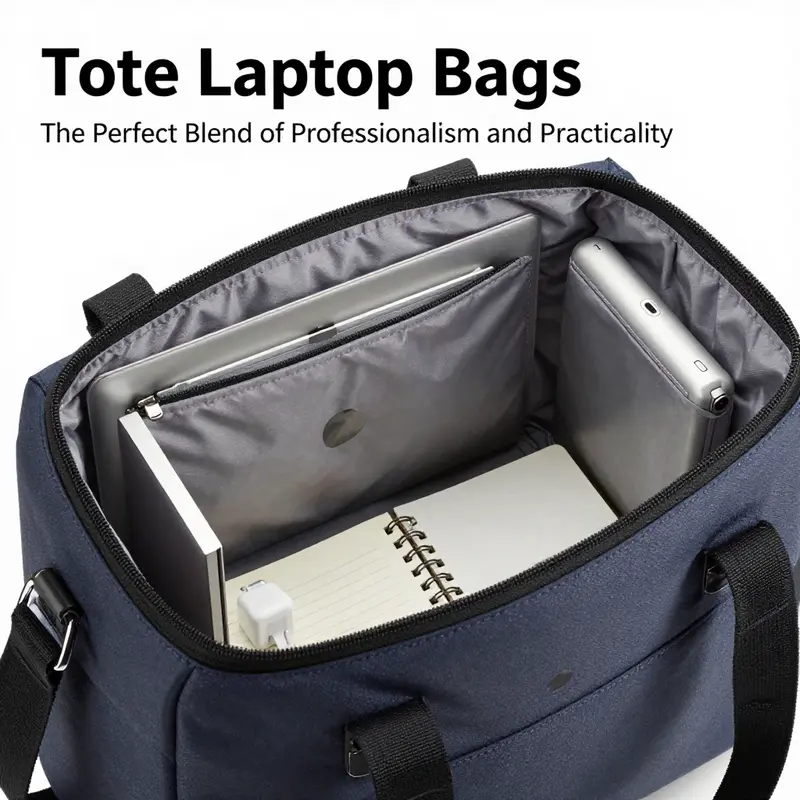
A tote laptop bag is more than a fashion statement or a carryall for a daily commute. It is a compact system designed to protect fragile technology while organizing the small rituals of a workday. The key to getting the most from a tote laptop is not merely choosing a size that looks right or a material that feels premium. It is understanding how dimensions translate into real-world performance. When you pick a bag, you are selecting a framework that determines how smoothly your routine unfolds. The dimensions of the bag interact with the shape and thickness of your laptop, the number and size of accessories you carry, and the way you move through crowded subways, rain-slick sidewalks, and late conference rooms. In practice, this means looking beyond mere screen size and focusing on the interior architecture that supports daily life. It means measuring, visualizing, and testing. It means aligning the bag’s proportions with the way you travel, work, and rest between meetings.
The first rule of thumb is to measure the laptop itself in its current configuration. Most people size up or down their bags based on the screen diagonal, but depth and proportion matter just as much. Measure the laptop diagonally from corner to corner with any protective case in place, and then assess the internal compartment around the device. A snug but not tight fit is ideal, allowing the laptop to slide in with minimal rattle yet not float around inside the sleeve. Padding around the edges should be enough to absorb shocks without creating a coffin of extra space where loose items rattle. A safe target is roughly 0.5 to 1 inch of padding on all sides. This is not a call to overspec; it is a practical buffer that reduces the risk of micro-movements converting into micro-damages when the bag is jostled on a stairwell or during a windy street crossing. Some bags label themselves as fitting up to a certain screen size, yet neglect the thickness of the laptop, the added bulk of a case, or a sleeve that holds a charger and a power bank. The result is a bag that looks right but feels wrong the moment you seal the zipper and leave the house. A disciplined approach to fit begins with a precise, real-world test of your own gear.
Beyond the laptop compartment, the rest of the daily load deserves equal attention. Your bag should cradle a phone, wallet or cardholder, keys, a charger, a notebook, and perhaps a small snack or tablet without morphing into a scrub-brush of clutter. For urban commuters and students, medium-sized totes with interior volumes designed to accommodate a 13- to 15-inch laptop and everyday items tend to balance form and function well. When a bag stretches beyond comfort, weight and bulk accumulate in ways that aggravate shoulder strain and often invite careless fumbles. The goal is a silhouette that remains sleek even when fully loaded. If you routinely carry multiple devices or larger chargers, seek models with dual compartments or a built-in divider system. Insulating sleeves using foam or high-density neoprene can be a game changer for device protection. A foam-padded neoprene sleeve, properly integrated, can dampen impact and reduce shock absorption losses, contributing to a lower risk of scuffs or more serious internal damage during a drop. In some configurations, such sleeves deliver significant protection, absorbing as much as a third or more of the force of a drop, depending on the angle of impact and the surface beneath. While the exact percentage may vary, the principle remains clear: interior padding translates directly into device longevity when the bag meets the world with everyday bumps.
The dimension story expands when you consider depth and the overall cubic capacity of the tote. A typical medium tote designed for a 13- to 15-inch laptop often measures in the neighborhood of roughly 13 to 15 inches wide, 12 to 14 inches high, and somewhere near 5 to 6 inches of depth. Those numbers are rough benchmarks, not universal laws, but they serve as a practical frame of reference. The width determines how easily the bag slides into a shoulder or commuter sleeve without feeling obtrusive. The height affects how comfortable the bag sits against your hip or thigh when you are seated on transit. The depth controls how many layers of documents, a compact umbrella, or a tablet can be accommodated without compromising the bag’s profile. The trick is to align the interior with your daily kit. If you carry an external hard drive or a larger charging brick, you may need extra internal dividers or a slightly deeper pocket. The internal layout can be more influential than raw external measurements because it determines how securely each item rests. A well-designed tote often features separate pockets for cables, pens, and cards, plus a padded sleeve for the laptop that helps maintain a compact footprint inside the bag. This is why dual compartments and strategically placed padding matter as much as the external dimensions.
In the planning stage, it is worth recognizing how a bag’s interior organization translates into practical outcomes. A tote with ample internal organization reduces the time you spend rummaging through the bag between meetings. It also minimizes the temptation to overpack, a habit that creates fatigue at the end of the day. When you test a bag at home, fill it with your usual items, then walk a short route to simulate commuting. Observe whether the weight distribution pulls you to one side, whether the straps bite into your shoulder, and whether the bag’s shape resists collapsing when light cargo becomes overstuffed. Ergonomics is not merely about comfort; it is about sustaining a healthy posture during a long workday. The American Chiropractic Association has long warned about the cumulative effects of carrying heavy loads on one shoulder. The risk of muscle strain and spinal misalignment increases when the load becomes imbalanced. For tote designers, this translates into balancing straps, adding internal padding, or incorporating a roll-aboard feature to distribute weight more evenly. Some of the latest tote concepts respond to these concerns with ergonomic back panels that help maintain upright posture while a traveler moves through crowded terminals. The result is a bag that feels lighter and more controlled, even when it is fully loaded.
Material choices further shape how the dimension story plays out in daily life. Leather gives a refined silhouette and a premium feel, but it also imposes a need for maintenance. Canvas offers rugged durability and weather resistance, while ballistic nylon provides a lightweight yet unyielding structure that helps keep the interior in a consistent shape. Vegan leather provides an eco-conscious alternative with a similar visual language to genuine leather, though its performance depends on the finishing and the backing materials used. Regardless of material, a bag’s longevity rests on the quality of the zippers, the strength of the stitching, and the integrity of the lining. A water-resistant lining becomes particularly valuable in urban environments where sudden showers are common. When a tote’s interior fends off moisture and keeps electronics dry, it preserves both the device and the day’s confidence. This is why best practices emphasize water resistance not as an extravagant feature but as a practical necessity.
The design geometry that supports protection and efficiency also drives the security and accessibility features that modern professionals expect. For example, an RFID-blocking sleeve or a slide-out pocket can add a layer of privacy and convenience for work access cards or sensitive IDs. A tote with lockable zippers or discreet hidden compartments can deter casual theft in busy stations and shared workspaces. The hardware quality matters here as well; sturdy zippers that glide smoothly and resist snagging save precious minutes when you’re late for a meeting. The interplay of form and function becomes most evident in how these elements harmonize with dimensions. A bag that looks slim on the outside but impractically tight inside defeats the purpose of an efficient tote. Conversely, a bag that offers generous interior space without sacrificing a clean line shows that dimension choices can be elegant and pragmatic at once.
To guide readers through this dimension-driven decision without getting lost in numbers, think of the process as a balance of three pillars: fit, load, and ergonomics. Fit means your laptop and its accessories slide into the bag with minimal resistance and stay in place. Load refers to the total weight and distribution, ensuring the bag remains comfortable as you move. Ergonomics covers strap design, weight balance, and back-panel support that protect your posture during a day of moving between offices, transit stops, and coffee shops. When all three pillars align, the tote becomes less about a single size and more about a thoughtful system tailored to your work rhythm. It is a subtle difference, yet one that palpably transforms daily routines from repetitive hassle to smooth, predictable flow.
In practice, the right tote for you will feel less like a fashion choice and more like a reliable partner. If you want an accessible reference point during shopping, examine models that offer a midrange width and height with a depth that accommodates your charger, a notebook, and perhaps a tablet or two. Some cues—like a designated tablet pocket, a foam-padded laptop sleeve, and a water-resistant inner lining—signal a well-considered approach to protection and organization. For readers who want to compare options quickly, consider visiting a catalog that showcases laptop-tote designs in this size class. An internal catalog such as the tote-bag-laptop collection provides a useful baseline for what a balanced interior looks like, and how the dimensions interact with practical needs. This page is a practical starting point for understanding how various containers accommodate the same core device while delivering different user experiences. If you’re curious about the breadth of options, tote-bag-laptop offers a representative sense of how interior layouts vary with modest changes in dimensions. The goal is to translate general dimensions into tangible benefits for your day.
As you assemble a mental checklist before buying, prioritize a few non-negotiables. Confirm there is 0.5 to 1 inch of padding around the laptop compartment. Verify that the bag offers at least one padded shoulder strap and a back panel with some form of breathable, ergonomic shaping. Look for dual compartments or built-in dividers if you carry a tablet, cords, and a notebook. Check for a water-resistant lining and reinforced seams that withstand daily wear. Consider how the bag balances weight when carried on one shoulder versus carried in hand or aloft in a stairwell. Finally, run a practical measurement test at home: load your gear, zip up, and move around the room, then bend, twist, and walk lightly with your chosen bag to feel the distribution. If the bag keeps its silhouette and the laptop remains tightly held in place, you may have found your ideal configuration. The beauty of this approach is that it is interface-agnostic; it works whether you shop in a brick-and-mortar store or online, because it is anchored in a straightforward, repeatable test of real gear and real habit.
In the broader arc of a professional wardrobe, the dimension story of a tote laptop bag sits at a quiet convergence of style, practicality, and health. A bag that respects dimensions is a bag that respects time, energy, and the integrity of your devices. It helps you project a poised, prepared image while ensuring your tools stay protected in transit. The choice of tote, then, becomes part of a larger narrative about your daily workflow: how you organize, how you carry, how you protect, and how you move. When a bag aligns with your dimensions, it starts to feel like an extension of your own posture—a tangible reminder that preparation can be both efficient and elegant. The right bag supports routine consistency; it makes your day feel less like a scramble and more like a sequence of deliberate, controlled steps.
To summarize the dimension-based approach, begin with a careful laptop measurement that accounts for thickness and any protective shell. Then map your daily load against the bag’s interior architecture, ensuring there is a snug fit and adequate padding. Prioritize ergonomic features that distribute weight evenly and reduce strain. Finally, consider materials and weather resilience as supplements to the core fit. The objective is a tote that holds the essentials without turning into a cumbersome burden. In this way, dimensions cease to be a sterile specification and become a practical ally in your professional life. The journey toward the right tote is as much about personal habit as it is about precise measurements, and the best bags help you maintain focus by removing the friction that otherwise accompanies daily carry. For readers who want to anchor their shopping in a tested framework, the path is simple: measure accurately, load intentionally, and evaluate ergonomics with the same care you apply to your laptop itself.
Protecting Your Spine with Style: Practical Ergonomics for Laptop Totes
Protecting Your Spine with Style: Practical Ergonomics for Laptop Totes
Carrying a laptop in a tote is a daily reality for many professionals. The tote blends polished style with everyday utility. Yet that very simplicity hides ergonomic pitfalls. Totes typically concentrate weight on one shoulder or one hand. Over weeks and months, that habit nudges posture, strains muscles, and magnifies the load on the cervical spine. The result can be persistent neck tension, shoulder ache, and altered spinal alignment that affects comfort and productivity.
Understanding why a tote creates risk helps you choose and use one more wisely. A backpack distributes weight across both shoulders and the hips. It can include chest and hip straps, padded back panels, and contours that match the spine. A tote lacks most of those features. When a heavy object sits to one side it creates a constant asymmetric pull. The body adapts by leaning or rotating. That compensation is subtle at first. Over time it becomes habitual. Muscle groups on one side grow tighter. Opposing muscles weaken. These shifts increase the likelihood of chronic pain.
Weight is the simplest and most important factor. The American Chiropractic Association warns against carrying more than ten percent of your body weight on one side for extended periods. For a typical commuter, a laptop plus charger, notebook, water bottle, and other essentials can easily exceed that threshold. Even modest loads lengthen the time the shoulder and neck carry extra force. The head tilts forward to counterbalance, and the cervical spine experiences greater compressive load. Clinical research ties head flexion beyond about thirty degrees to exponential increases in cervical force. That means posture and load add up, not simply in a linear way, but in a compounding one. Small changes in how you carry gear therefore have outsized effects on spinal stress.
Packing choices are a discreet but powerful lever. Place the laptop centrally, as close to the body as possible. That reduces the moment arm of the load and the torque on your shoulder and spine. Use an internal sleeve that locks the laptop near the bag’s center. Put heavier items low and toward the centerline. Keep frequently used small items in external pockets to avoid digging into your shoulder or forcing the bag to swing. A water bottle or umbrella should sit in a side pocket but not protrude in a way that shifts the bag’s balance. Thoughtful packing maintains the tote’s streamlined appearance while easing strain.
Strap design matters as much as packing. Narrow straps concentrate pressure on soft tissue and can pinch nerves over time. Choose a tote with wide, padded straps that spread weight over a larger surface. Longer straps that allow the bag to hang closer to the hip reduce leverage against the shoulder. A high-slung tote forces the arm to hold the bag awkwardly and increases upward pull on the shoulder fascia. If you must carry the tote by hand, switch frequently between hands and use a handle wrap to distribute pressure across the palm.
Alternating sides is a simple habit with measurable benefits. Swap shoulders every ten to twenty minutes on longer walks. Alternating reduces continuous strain on one side and gives tight muscles periodic rest. It is not a perfect fix. Alternation alone does not correct muscle imbalance that develops over months. Still, combined with other strategies it slows the progression toward chronic asymmetry.
Consider tote features that improve ergonomics at purchase. An integrated padded shoulder strap or a removable crossbody strap converts a single-shoulder tote into a dual-support option. Look for a reinforced base that prevents sagging, which can change the bag’s center of gravity as you move. Internal dividers prevent contents from shifting. Some modern tote designs include a padded back panel or an ergonomic insert that mimics a light back support. Roll-aboard compatibility and a trolley sleeve let you shift to wheeled transport when loads become heavy. These features keep the tote’s silhouette clean while reducing the musculoskeletal cost of daily commuting. If you frequently carry more than a laptop and a few items, choose a design that offers a luggage-pass-through or can attach to a rolling suitcase.
Material choice influences weight, durability, and long-term discomfort. Natural leather offers a premium look but can be heavy. Lightweight technical textiles like ballistic nylon or canvas reduce the pack weight before you even add gear. Vegan leathers often balance appearance and weight. Consider the tradeoff between style and mass: a heavy material adds a constant, unavoidable burden. If you prefer a structured appearance, look for structured synthetic shells that create a rigid laptop compartment without thick, weighty panels. The lighter the empty bag, the less your shoulders and spine must compensate.
Ergonomic design also extends beyond the bag itself to user habits and conditioning. Regular posture checks and microbreaks help reset alignment. Small mobility exercises relieve tension after a commute. Gentle chin tucks, shoulder rolls, and upper-back extensions counter forward head posture. Strengthening the posterior chain—upper back and shoulder stabilizers—reduces the degree to which posture degrades under load. These exercises do not remove the load, but they improve your resilience to it. Pairing ergonomic awareness with improved physical conditioning creates a safer daily routine.
When commuting by public transit, let the tote rest on a seat or a lap when standing space is unavailable. When possible, carry heavier items in a briefcase-style configuration or move them into a daypack for longer walks. Invest in a slim, protective laptop sleeve that you can transfer into a backpack if your travel will be extended. Many professionals use a hybrid strategy: a polished tote for short commutes and client meetings, and a small ergonomic backpack for heavier travel days. This flexible approach preserves style without sacrificing spinal health.
Evaluating a tote before purchase includes measurements. Make sure it fits your laptop plus a slim sleeve. A bag with dimensions similar to a 42 x 3 x 33 cm profile often accommodates a 13–17-inch laptop and a modest set of accessories while remaining streamlined. But numbers alone don’t convey how the bag will behave when worn. Load the bag in store or simulate weight at home. Attach the laptop, charger, and the items you carry daily. Walk, climb stairs, and move between rooms. Notice how the tote shifts, where pressure concentrates, and whether the straps cut into muscle or soft tissue. Real-world testing reveals imbalances that spec sheets cannot.
Technology in tote design is evolving to address ergonomic concerns. Some models now add a removable hip belt to redirect weight toward the pelvis. Others incorporate anti-slip strap surfaces that prevent sliding and consequent re-adjustment. A small stabilizing band across the chest can reduce strap migration. Internally, compression straps keep contents close to the bag’s spine and reduce sway. Lightweight frames maintain structure while keeping weight down. These refinements allow a bag to keep its aesthetic while improving functional support.
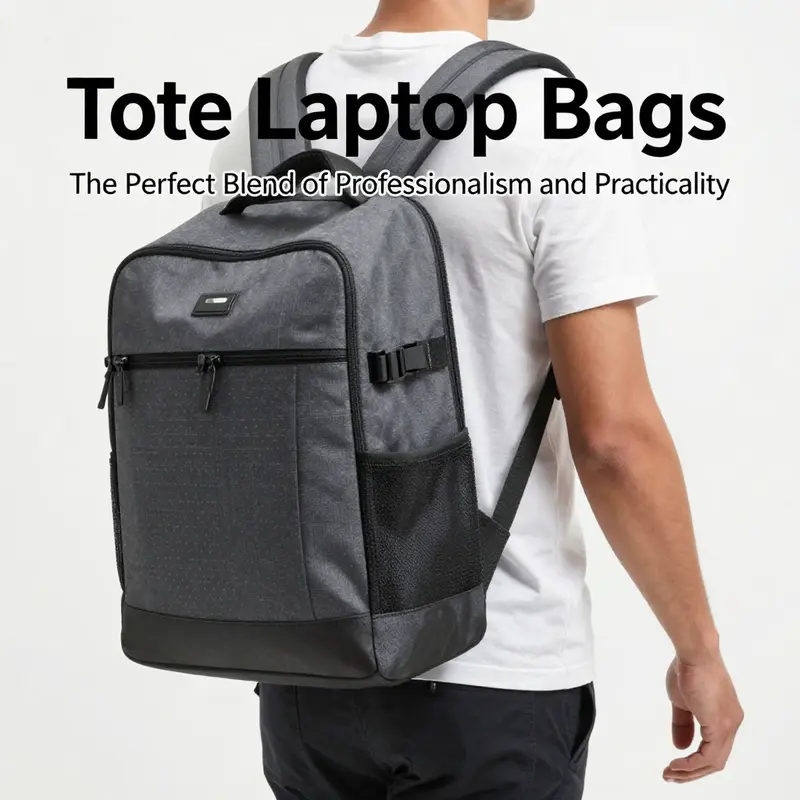
For those whose jobs require frequent travel or who carry large, heavy laptops, a backpack remains the ergonomically sounder choice. Backpacks align load with the body’s stronger support structures. They reduce asymmetric pull and allow for even distribution across the torso. Yet many users prefer the tote’s professional look. Rather than forcing a style choice that predisposes to injury, aim for compromise: choose a tote that integrates ergonomic features and use adaptive habits so you can keep the look without trading your health.
Small accessories make a measurable difference. A padded strap cover can reduce pressure on the trapezius muscle. A lightweight rolling organizer transfers bulky chargers to a compact pod. A detachable wristlet or small crossbody pouch carries essentials like cards and keys, so the tote’s interior stays balanced. For hands-free commutes consider a thin, convertible strap. Even small reductions in peak load times reduce cumulative strain across weeks.
Professional ergonomists emphasize prevention. Preventing injury is easier and cheaper than treating it. If you begin to notice persistent neck stiffness, unilateral shoulder pain, or a change in posture, reassess how you carry your bag. Address the bag and the behavior simultaneously. Change the strap, reorganize contents, and add microbreaks. See a clinician if pain persists beyond a few weeks despite adjustments. Pain is not an inevitable cost of commuting. It is a signal that your strategy needs revision.
Workplace culture affects choices. In settings where a refined aesthetic is expected, a leather or structured tote may be the norm. In more casual workplaces, the expectation may lean toward backpacks. Your selection should reflect both professional context and long-term health. If style weighs heavily in your decision, balance it with built-in ergonomics. Opt for a tote that allows easy conversion to a crossbody or includes a trolley sleeve for wheeled travel. That flexibility keeps your professional image intact and preserves your physical well-being.
The narrative around tote ergonomics is not one of binary choice. It is about informed compromise. A well-chosen tote minimizes risk through thoughtful design. A carefully packed tote reduces torque and sway. Small behavioral changes slow muscular imbalance and build resilience. When you combine those elements you get the best of both worlds: a bag that supports your professional image and protects your spine.
If you are researching tote options tailored to daily work use, consider models designed specifically as laptop work totes. Those designs prioritize organization, protective sleeves, and strap comfort while retaining a professional appearance. For a practical starting point, explore a curated selection of laptop work tote designs that balance form and function here: laptop work tote.
For additional reading on the relationship between head posture, cervical load, and device-related strain, see this clinical overview: https://www.healthline.com/health/ergonomic-tote-bag-laptop
Final thoughts
A tote laptop bag is an indispensable accessory for business owners, marrying style with functionality and health-conscious design. By thoughtfully selecting a tote that enhances your professional appearance while accommodating all necessary essentials, you ensure a smooth and productive workday. The seamless integration of ergonomics from an effective laptop tote reduces the strain of daily commuting and elevates your approach to professional work. Ultimately, investing in the right tote reflects not just personal style but a commitment to comfort and preparedness in a fast-evolving business landscape.